MeasurLink
and U-WAVE
®
30
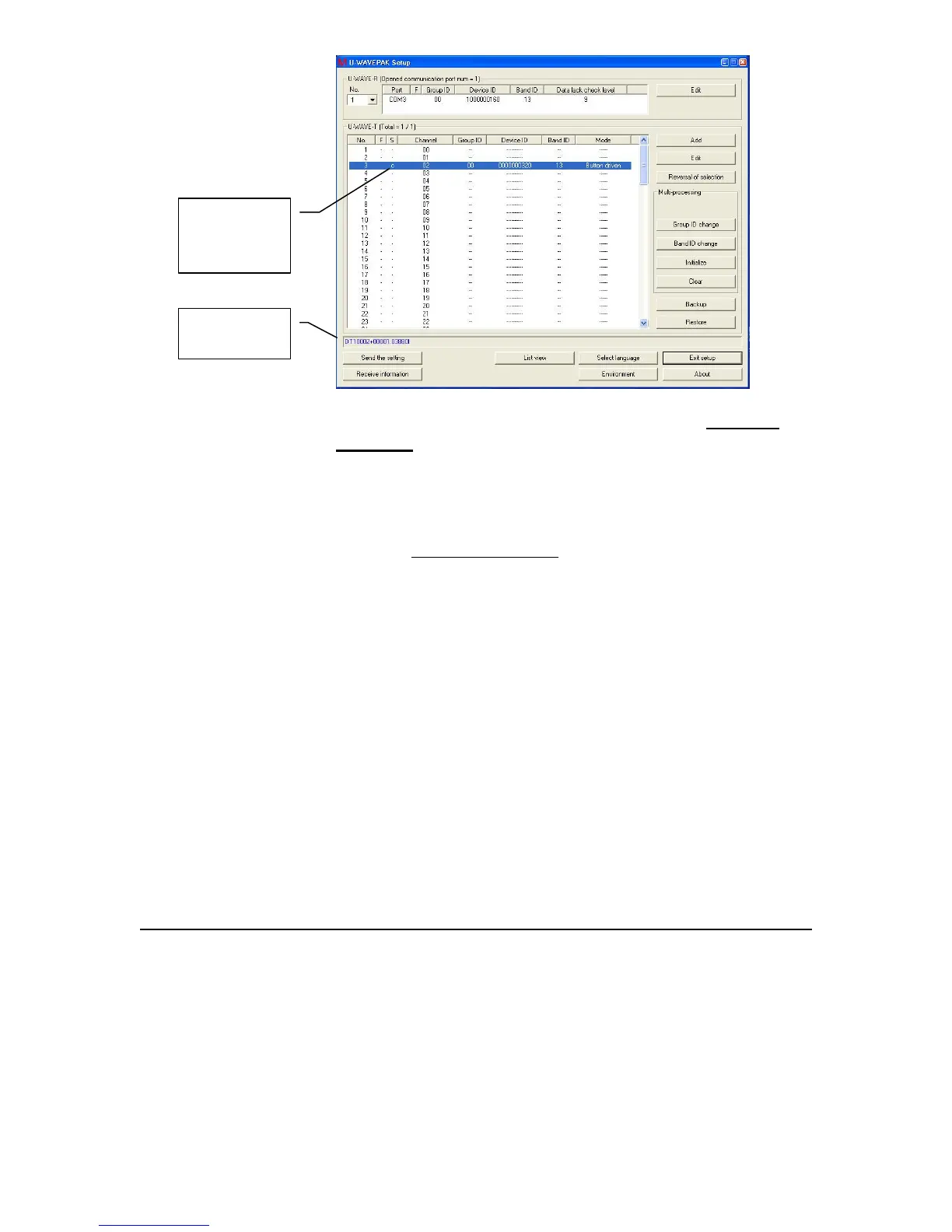
5. Connect a gage and turn on. Push the data button on the U-
WAVE-T (transmitter). There should be two beeps heard and a
green light visible two times. Check column S for the “r” (for
registered) to change to “c” for connected.
6. Only if the gage did not connect as expected, perform a scan.
Press and hold for 10 seconds the data button on the
U-WAVE-T. There should be a fast flashing red light followed
by a slower flashing red light. Check column S for “c” for
connected to be displayed.
7. If there are problems, see the U-WAVE manual about resetting
both the U-WAVE-R and the U-WAVE-T devices.
8. Add additional gages as needed. When using two or more
U-WAVE-R devices (Receivers) on the same computer, the
Group ID is used to automatically connect the U-WAVE-T,
wireless transmitters with the U-WAVE-R.
c shows the
gage is now
connected
Value sent by
the gage



 To Next Page