User’s Guide
31
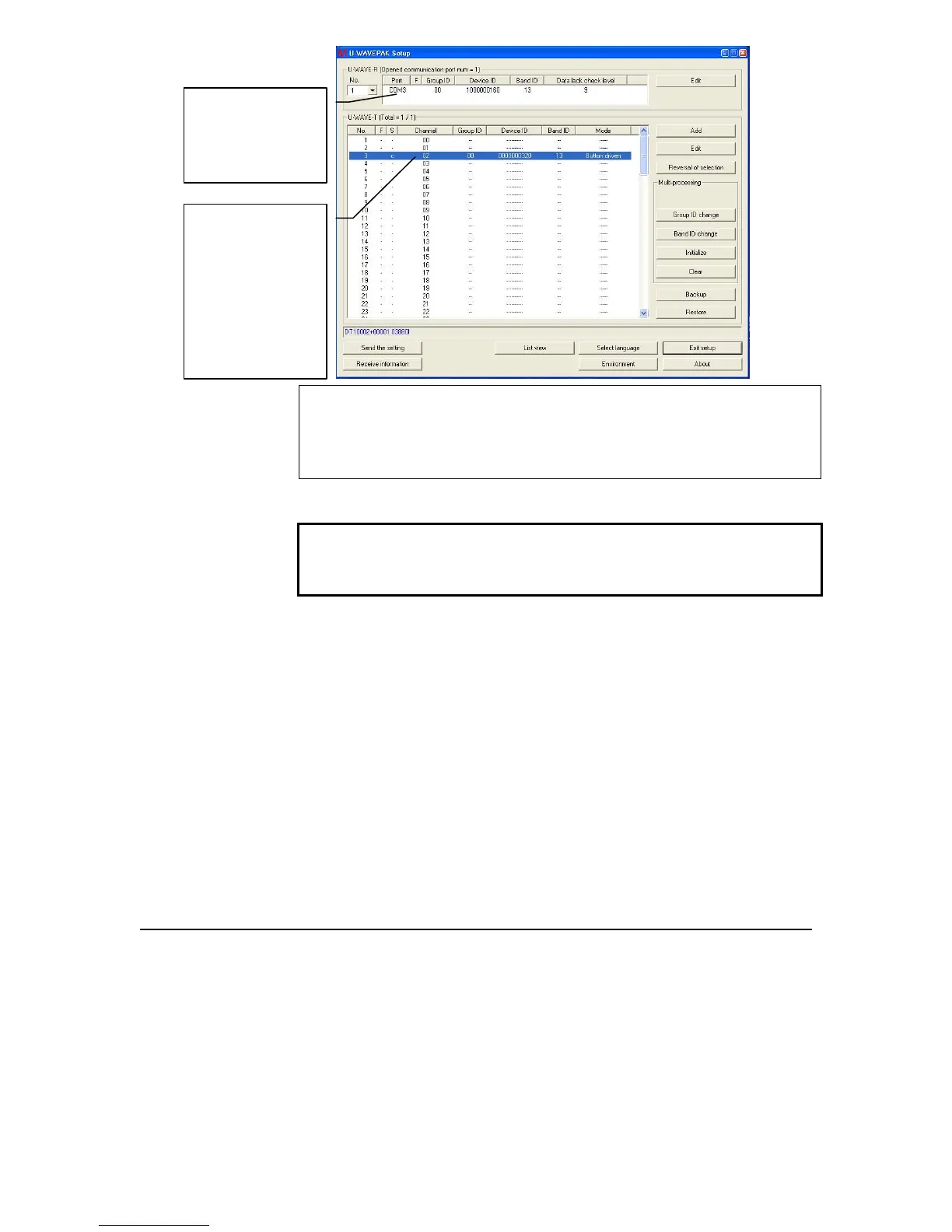
9. IMPORTANT: Write down the Com Port assigned to the U-
WAVE-R device and the channel number (in the 4
th
column)
assigned to the U-WAVE-T device. These will be used during
MeasurLink Setup.
10. Once all the gages have been assigned, exit from the setup and
exit from the U-WAVEPak program.
IMPORTANT: Exit is required from both setup and
U-WAVEPack to allow MeasurLink to capture data directly
from the wireless devices.
Write down on
paper the Com
port assigned to
U-WAVE –R
Write down on
paper the channel
number assigned
to
U-WAVE-T
NOTE:
CHANNEL
COLUMN!



 To Previous Page