Failsafe RTH
If the GPS signal is available (more than 7 satellites is presented) and the Home Point is recorded
previously. Failsafe RTH will be triggered if the remote controller signal is lost for more than 6 seconds,
the flight-control system
control the aircraft automatically and the aircraft will fly back to the last
recorded Home Point Y.::)t. can regain control of the aircraft by press the RTH button if the remote
controller signal is recovered.
•
During the Failsafe RTH procedure, the aircraft can not avoid obstacles.
•
The aircraft cannot Return-to-Home if the GPS signal is weak (satellite amount
is less than 7).
•
If there is no GPS signal and the remote controller signal lost for more than 6
seconds, the aircraft will not Return-to-Home but descend slowly until land to the
ground and lock the aircraft.
Low voltage RTH
Vlben the aircraft rear lights flash red slowly, battery icon "
is shown on the LCD screen, and
steady beep. beep
:
beep..., beep, beep, beep sound is heard. At this moment, as long as the aircraft
lying altitude is over 100 meters or the flying distance is over 300 meters, the aircraft will automatically
ly Lack to the Home Point.
tl
-
e aircraft rear lights flash red slowly, battery icon
is shown on the LCD screen, and
steady beep.., beep...
:
beep sound is heard. At this moment, as long as the aircraft flying altitude is
over 15 meters or the flying distance is over 15 meters, the aircraft will automatically fly back to the
Home Point. If the aircraft flying altitude is less than 15 meters or the flying distance is less than 15
meters, the aircraft %Nill automatically land to the ground.
L
6
Attention: When aircraft is in low voltage RTH status you can not regain control of the
aircraft by pressing the RTH button.
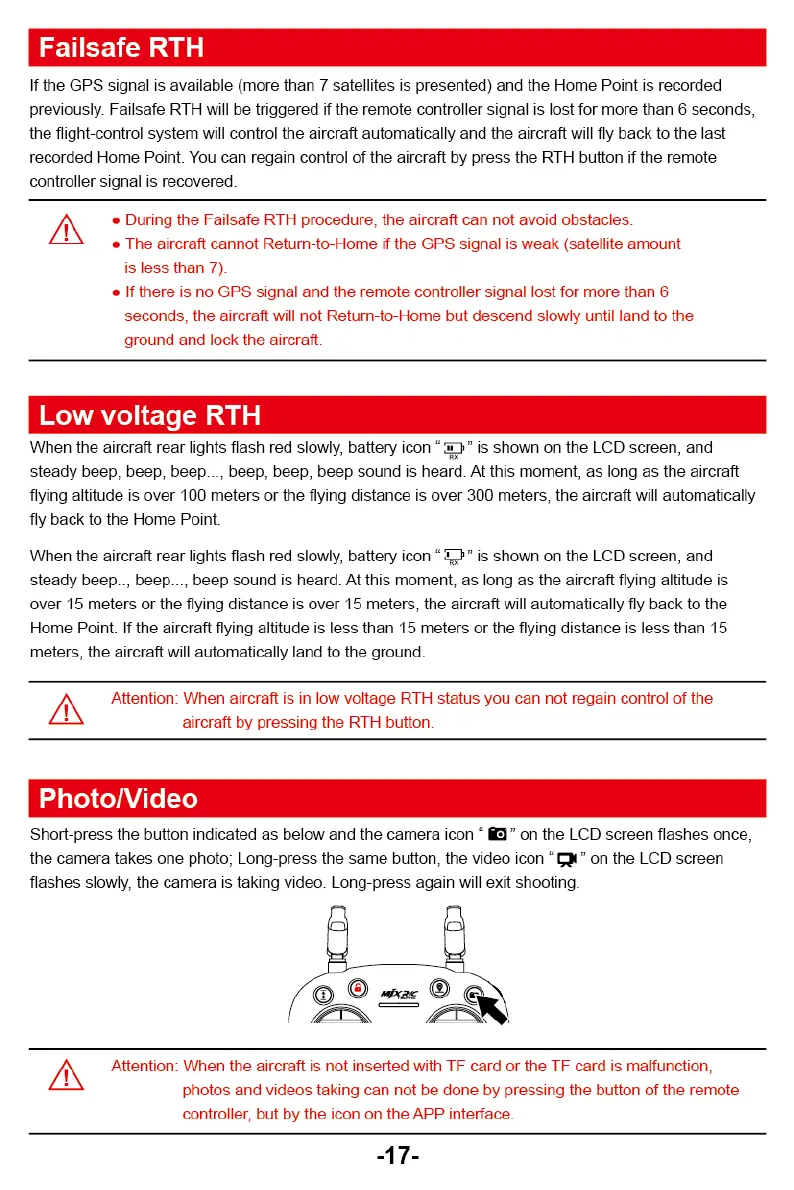
PhotoNideo
Short-press the butt(:)n indicated as below and the camera icon "
"
on the LCD screen flashes once,
the camera takes.
photo; Long-press the same button, the video icon "
on the LCD screen
flashes slov,:ly. the camera is taking viceo. Long-press again will exit shooting.
Attention: When the aircraft is not inserted with TF card or the TF card is malfunction,
photos and videos taking can not be done by pressing the button of the remote
controller, but by the icon on the APP interface.
-17-



 To Next Page