5
The Editor software does not require login.
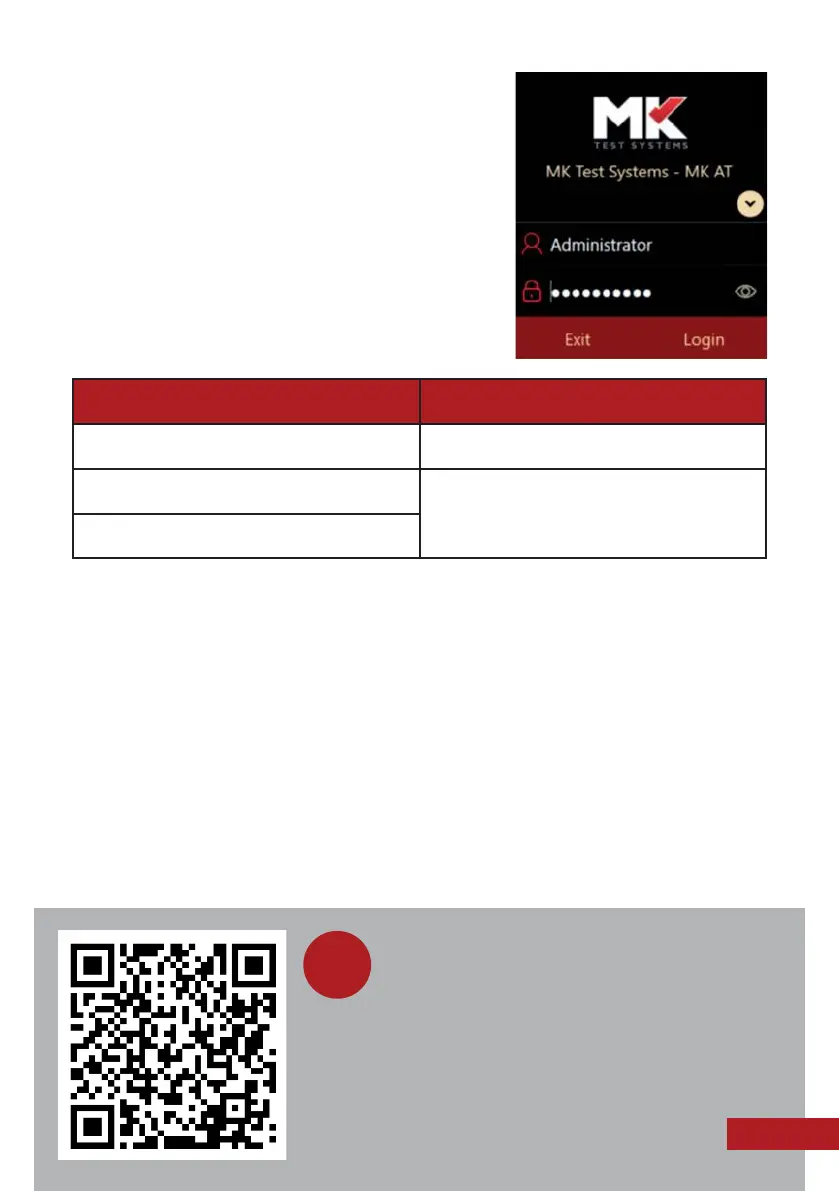
When opening the Runner software, the login
screen is displayed as shown on the right.
A valid username and password must be entered
to log in to the Runner. The system is setup with
3 default logins dependent on function / role.
Usernames are not case sensitive, but passwords are.
3. Accessing the software manuals
The full manuals for the Editor and Runner can be found within the software by
clicking the Help icon on the top menu bar, on the desktop or in C:\MKAT. Please
note you must be logged in as an Administrator or Advanced Programmer to be able
to access the Runner manual.
4. Switching the system off
Exit the Runner software by clicking Logout on the top right of the screen, then
clicking Exit from the main screen. To exit the Editor software, click the X button in
the top right corner. Switch the mains switch off to close down the system.
User name Password
Operator Mktest21013
Administrator Passwords for these logins are provided
as part of your system installation.
Please contact us to re-request these.
Advanced Programmer
Scan this QR code to watch a recording of
our ‘Basics of MKAT’ training webinar on
YouTube, which demonstrates how to set up
and run basic test programs using MKAT. Please
also see page 13 for details of upcoming training
webinars, which are free of charge.
i



 To Next Page