How To Change the Bias Adjust Setting Cha
ter Four: O
eration
36
How To Change the Bias Adjust Setting
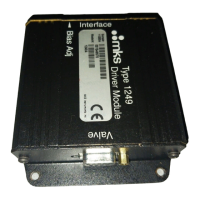
The bias adjust potentiometer establishes a valve position offset by setting the minimum voltage
required to move your valve from the fully closed to the slightly open position. Refer to
Bias
Adjust Potentiometer,
page 31, for more information.
To change the bias adjust setting:
1. Connect a signal equivalent to 0 VDC or 4 mA to pin 2 on the Interface connector.
Refer to Table 6, page 27, for the Interface connector pinout.
2. Adjust the bias adjust pot.
•
If there is flow through the valve
, turn the bias adjust pot
counterclockwise
until the
flow stops and then continue for two additional turns
•
If there is no flow through the valve
, turn the bias adjust pot
clockwise
until the flow
just appears and then back off counterclockwise two turns.
Note
1.
If the 1249 unit cannot turn the valve off
completely,
the bias adjust
may be set too high.
2.
If you change valves, you must configure the 1249 unit to control
your new valve by readjusting the bias adjust pot.


 To Next Page