902B Abs Piezo Operation manual
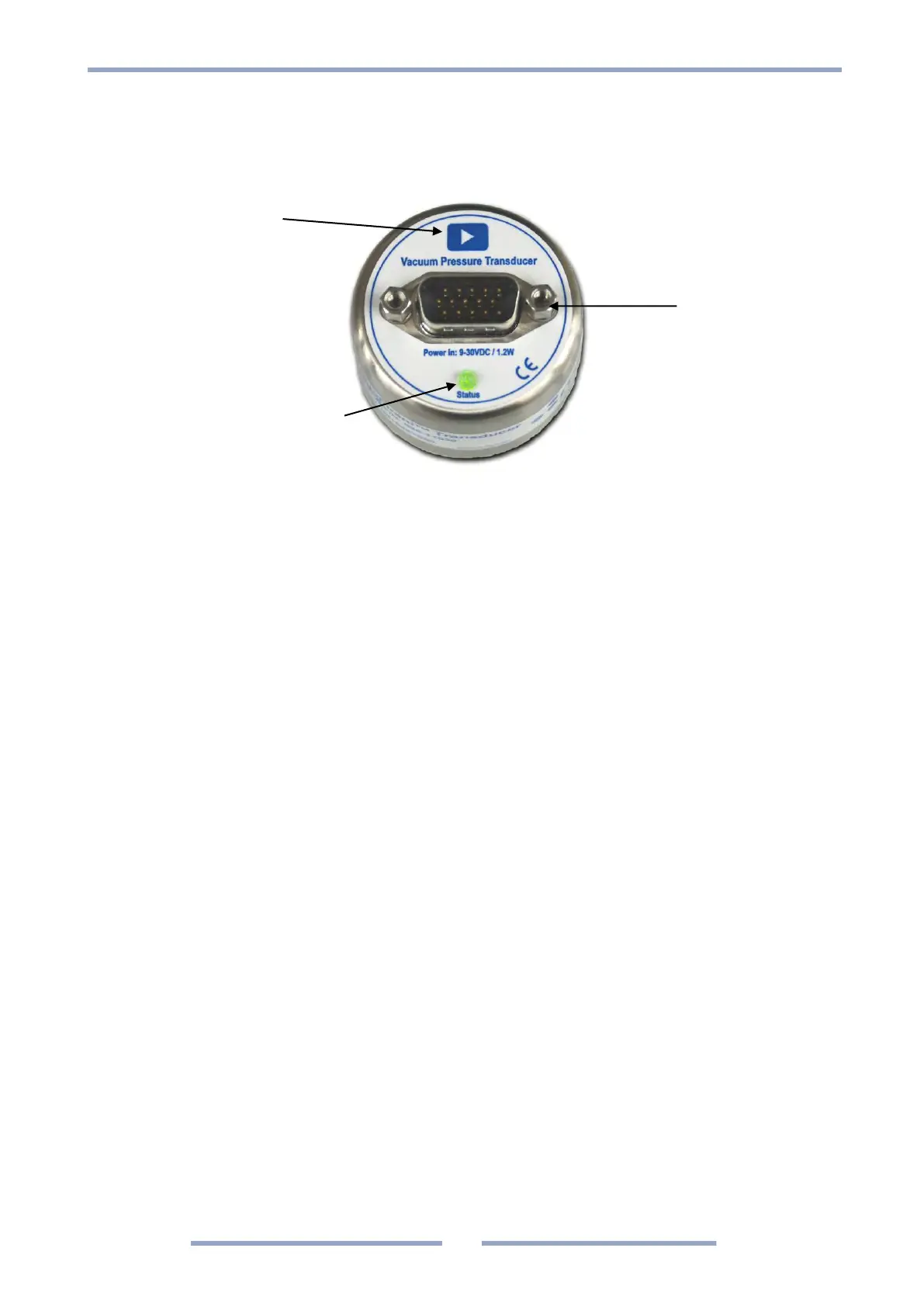
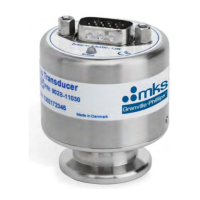
902B Functions
User Switch
I/O Connector
Red or Green LED Status Indicator
User Switch
The user switch has the following functions:
1. Vacuum Zero adjustment (ZER! Command)
2. Transducer firmware upgrade mode
Refer to pages 17, 18 and 48 for operation procedure.
If the user switch is activated by accident and vacuum Zero or Atmospheric adjustment is executed
the original factory adjustment can be recovered using the FD!ZER or FD!SPN command.
(See Factory default page 20).
If the transducer is delivered with customer specified parameters the User Switch is disabled.
For enabling the switch see page 21.
LED Status Indicator
The red/green LED status indicator has the following stages:
1. GREEN Normal operation
2. 2 sec. RED Power on sequence
3. GREEN 1 sec. flash cycle Test mode TST!ON (see page 21)
4. 3 × GREEN flash User Adjustment executed successfully
5. 3 × RED flash User Adjustment failed
6. 2 sec. RED User switch disabled
7. RED Transducer defect
8. OFF Firmware upgrade mode (see page 48) or Power off




 To Next Page