13 | PSR1A/PSR4A POWER SUPPLY AND PRESSURE/FLOW READOUT
MKS P/N 20068380-001 Rev A
4.4 Setup
4.4.1 Panel Mounting
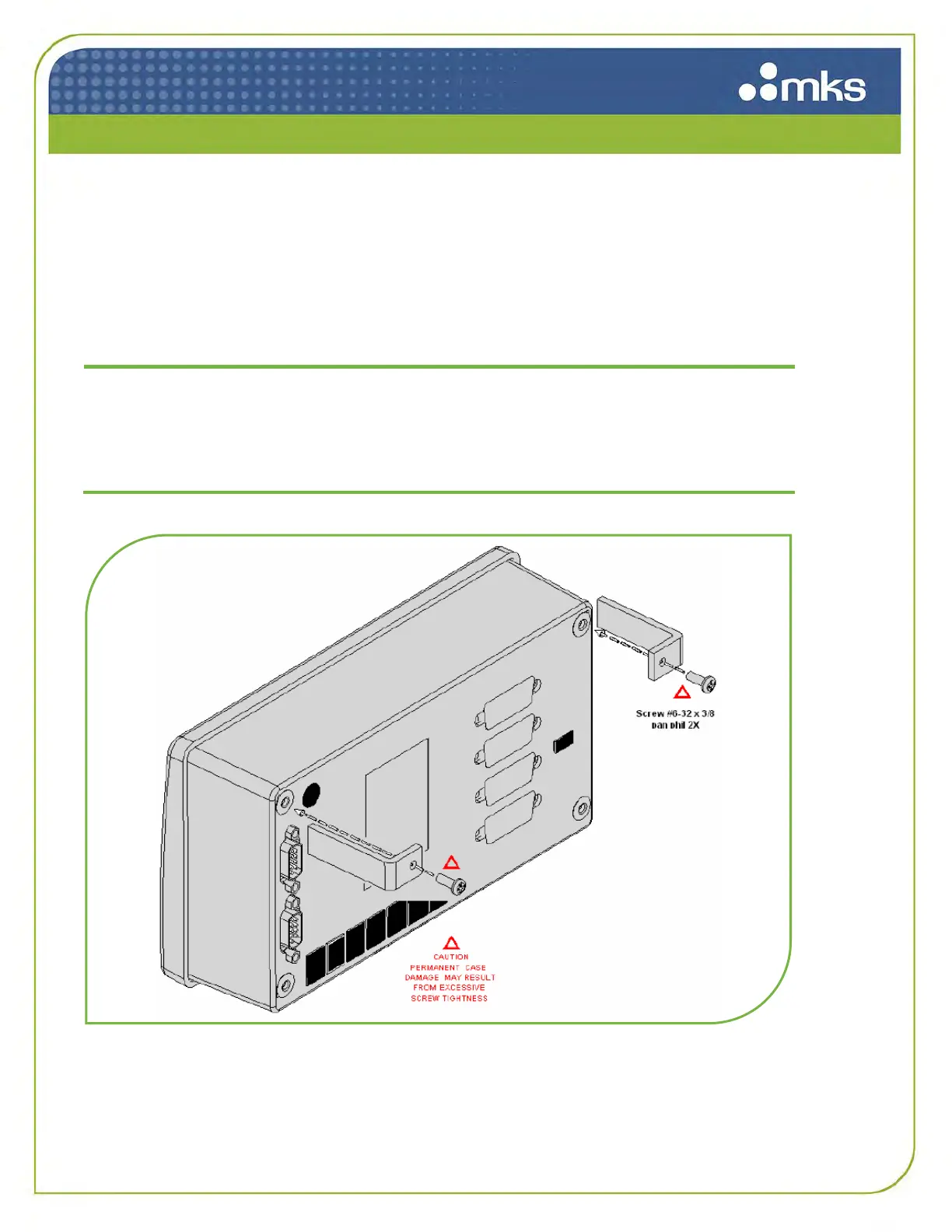
The PSR1A/PSR4A comes standard with hardware for panel mounting and are available with brackets
to assemble for desktop use. Use the two enclosed angle brackets and #6-32 screws to secure the unit
to a panel cutout. Be sure to not overtighten the screws as this may damage the threaded holes in the
PSR1A/PSR4A. Recommended panel cutout dimensions are shown below.
Only qualified individuals should perform the installation and any
adjustments. They must comply with all the necessary ESD and
handling precautions while installing and adjusting the instrument.
Proper handling is essential when working with all highly sensitive
precision electronic instruments.
Figure 2: Panel Mounting



 To Next Page