EasyManua.ls Logo

MKS SG 1024 - User Manual

MKS SG 1024
18 pages
Print Icon
To Next Page IconTo Next Page
Loading...
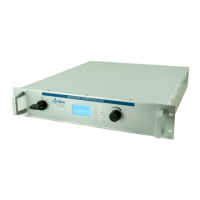
SOLID STATE MICROWAVE GENERATOR
1000 W @ 2450 MHZ
TECHNICAL NOTE
(issue: April 2017)
SG 1024

Questions and Answers

  • M
    michelle53Aug 4, 2025
    What to do if my MKS SG 1024 shows an Overtemperature Alarm?
    • E
      Elizabeth DunnAug 4, 2025
      If your MKS Portable Generator displays an overtemperature alarm, it means the water temperature at the output exceeds the maximum temperature. First, check the water flow. Also, verify the correct setting of the maximum temperature (Tmax).
  • R
    Robert GilbertAug 9, 2025
    What does it mean when my MKS Portable Generator displays a Reverse Power Alarm?
    • E
      Erin SmithAug 9, 2025
      A Reverse Power Alarm on your MKS Portable Generator indicates that the reflected power has reached the alarm threshold for more than 20 seconds. You can either set a higher threshold or start the automatic tuning to decrease the reflected power.
  • M
    Margaret ReidAug 14, 2025
    What to do if my MKS Portable Generator shows Overcurrent Final Amplifier alarm?
    • L
      Laura PerryAug 14, 2025
      If your MKS Portable Generator displays an Overcurrent Final Amplifier alarm, it means that the final power amplifier has reached the limit current. Try to reset and restart at a lower power.
  • M
    Martha PenningtonAug 19, 2025
    What to do if my MKS SG 1024 Portable Generator shows Driver Alarm?
    • M
      Mr. Michael ClarkAug 19, 2025
      If your MKS Portable Generator displays a Driver Alarm, it indicates that the current of the driver (pre-ampli) exceeds 10 A. Try to reset and restart at a lower power.
  • M
    Matthew SavageAug 25, 2025
    Why does my MKS SG 1024 show an AC/DC Power Supply Alarm?
    • M
      Mr. Andrew Williams MDAug 25, 2025
      The AC/DC Power Supply Alarm indicates that the internal power supply output is less than 10V or exceeds +/- 5% of the expected value after 4 seconds.
  • D
    Dakota GarciaAug 29, 2025
    What causes a Communication interrupted error on my MKS Portable Generator?
    • K
      kelly48Aug 29, 2025
      This alarm appears only when the SG is run through the USB port and no valid character is received within a time out.

Summary

CE Declaration of Conformity

EN61010-1 Safety Standards

Compliance with safety requirements for electrical equipment used in measurement, control, and laboratory.

EMC Standards (EN61000 Series)

Compliance with electromagnetic compatibility standards for industrial environments.

RoHS and WEEE Compliance Policy

RoHS Risk Assessment

Evaluation of risks associated with hazardous substances in compliance with RoHS directive.

WEEE Disposal and Recycling Information

User guidance on proper disposal and recycling of electronic equipment per WEEE directive.

General Information and Safety

General Product Information

Overview of the equipment's compliance with European standards and classification.

Safety Warnings and Precautions

Critical safety instructions and warnings for operating the microwave generator.

Product Handling and Description

Handling Warnings and Instructions

Guidelines for safely unpacking, handling, and lifting the equipment.

General Product Description

Overview of the SG1024's capabilities, power, cooling, and versions.

Front and Rear Panel Layout

Description of the physical layout of controls and connectors on the front and rear panels.

Ratings and Specifications

Equipment Installation Guidelines

Instructions for properly installing the SG1024 generator.

Handling Instructions for Equipment

Specific guidance on how to handle the equipment to avoid damage or injury.

Environmental, Wiring, and Operation

Environmental & Physical Characteristics

Specifications regarding operating environment, temperature, humidity, and physical dimensions.

Wiring Instructions and Safety

Detailed instructions for connecting the equipment safely and correctly.

Power-up Procedure

Step-by-step guide on how to power on and start the microwave generator.

Operational Modes and Alarms

Working Modes Description

Explanation of the different operational statuses (Power On, Ready, MW-ON, Alarm).

Alarm Code Table

A table listing alarm codes and their descriptions for troubleshooting.

External Command Meanings

Explanation of how external commands control the generator's operation.

Key Operational Parameters

Power Enable and Frequency Control

How to enable power and set the operating frequency of the generator.

Automatic Tuning and Interlock

Features for automatic frequency tuning and interlock function setup.

Firmware Upgrade Procedure

Steps for upgrading the generator's internal software via USB.

Manual Control Interface

Manual Command Navigation

How to navigate through the menu and pages using front panel controls.

Display Page Options

Customizing what parameters are displayed on the screen during operation.

Parameter Adjustment Guide

How to adjust various parameters using the display, buttons, and knob.

Parameter Details and Tuning

Information and Mode Selection

Viewing system info, last alarm, and selecting operating modes (Manual, External, Remote).

Frequency and Tuning Settings

Setting operating frequency and configuring automatic/manual tuning modes.

Reverse Power and Threshold Settings

Configuring reverse power limits and automatic frequency tuning thresholds.

Connectors and Accessories

Connector #1 Wiring Diagram

Schematic for the input power and grounding connector.

RF Coax Accessories and Cables

Information on RF output connectors and associated coaxial cables.

Connector #2 and Monitor Signals

Connector #2 Wiring Diagram

Detailed wiring schematic for the D-SUB 25-pin I/O connector.

Monitor Signal Interpretation

How to interpret the forward and reverse power monitor signals.

Fieldbus and Dimensions

Fieldbus Connector and Setup

Details on the RJ45 connector for fieldbus communication (Powerlink, Modbus/TCP).

Overall Unit Dimensions

Physical dimensions of the SG1024 generator in millimeters.

Internal Components

Main Component Layout

Visual identification of major internal components within the generator.

Component List and Part Numbers

A detailed list of internal components with their part numbers.

Alarm Troubleshooting Guide

Ordering and Support

How to Order the SG1024

Guide on specifying and ordering the microwave generator with different versions and options.

Technical Assistance Contact Information

Contact details for technical support and assistance from MKS Alter Italy.

MKS SG 1024 Specifications

General IconGeneral
BrandMKS
ModelSG 1024
CategoryPortable Generator
LanguageEnglish

Related product manuals