36
Volume Control
Power Off & Stop
35
Power Off/ Stop
Auto Power Off
Stop
By pressing the PLAY ( II) button while playing music, the player pauses. By
pressing and holding the PLAY ( II) button once for longer seconds the player
turns off. (Blue LED turns on for 2-3 seconds and then off)
Pause/Power-save Mode
By pressing the PLAY ( II) button for more than 5 seconds, or leaving the
player without use for more than 5 minutes, the player automatically switches
to Power-save mode.
When the slide switch is in the MUSIC position, press and hold PLAY ( II)
button and press again to start playing the file in the Power-save mode.
Please Note!
If the player is idle for more than five minutes in pause or stop mode, the
player automatically turns off. (Auto Power-Save Mode)
To resume playback, press and hold the PLAY button, the player will
now resume from the point in the track where play stopped (RESUME
FUNCTION)
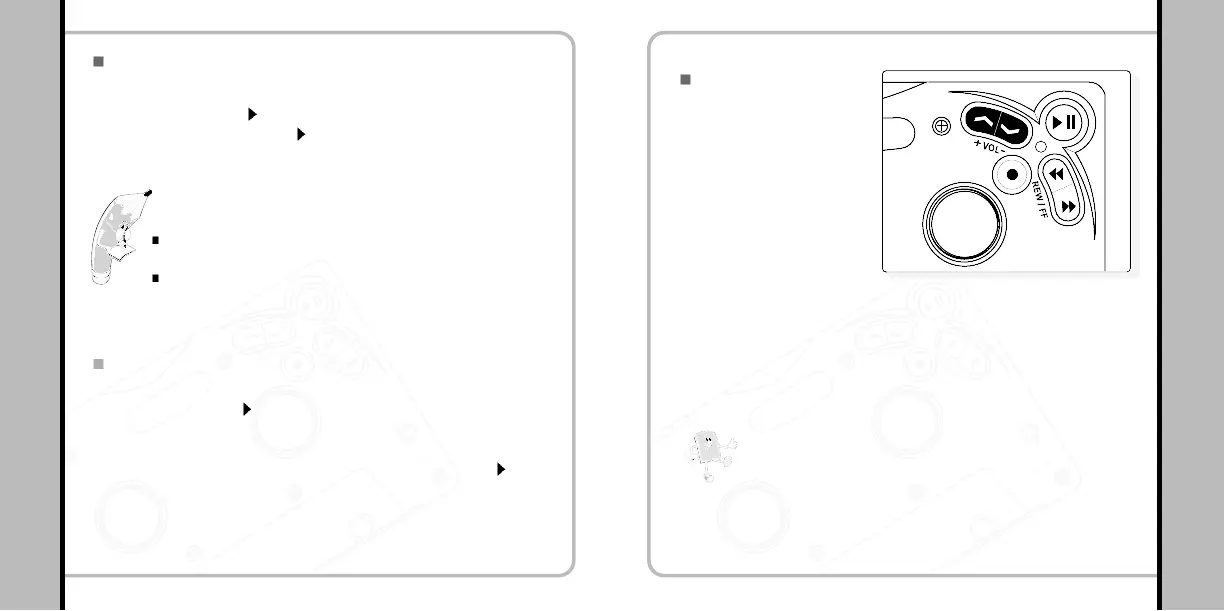
Volume Control
- The volume can be adjusted in a range from Min (00) to Max (30).
- By pressing the button intermittently the volume is adjusted in steps.
- By pressing and holding the button down the volume levels are
continuously increased/decreased
Adjust the volume using
the VOL +/- button on the
player.
Please Note!
Turning the player off will save the last used volume
setting.


 To Next Page