FM Radio
43
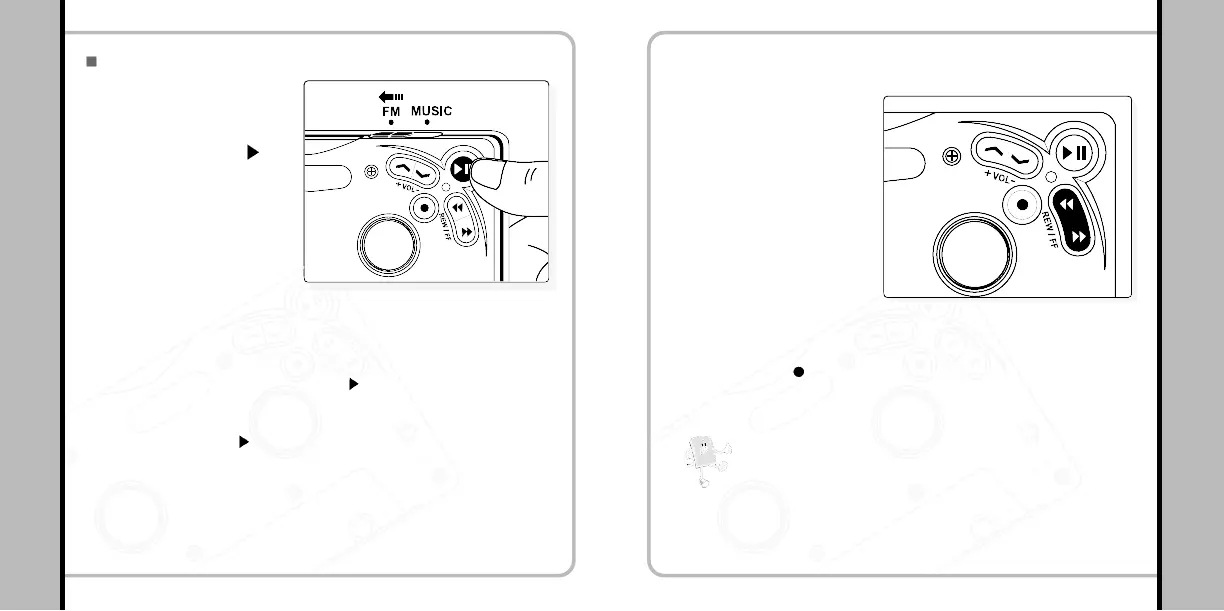
Move the slide switch on the
upper side of the player to
FM and press PLAY ( II)
button once shortly to turn
on the FM radio.
FM Radio
FM Listen / Stop
1
- Move the slide switch to FM to initialize the player with a pink LED blinking for
2-3 seconds. (Pause Status) Press PLAY (
II) button once shortly in the
pause status to turn on the FM radio with a pink LED blinking.
- Press and hold PLAY (
II) button for longer seconds to turn off the radio.
44
FM Radio
Searching Frequencies Manually
2
- You can search frequencies you
desire by pushing the REW/FF
button shortly.
Searching Frequencies
Automatically
3
- You can search frequencies
automatically by pushing and
holding REW/FF button for
longer seconds. While
searching a frequency the pink
LED blinks frequently.
Press REC ( ) button to select the frequencies which has
been saved by free-set function. (This can be only set after
connecting with the LCD remote controller)
4
Note!
What’s Free-Set Function?
- Saving frequencies
- Up to twenty frequencies can be saved.
- Mono/Stereo modes are selected automatically.


 To Next Page