50
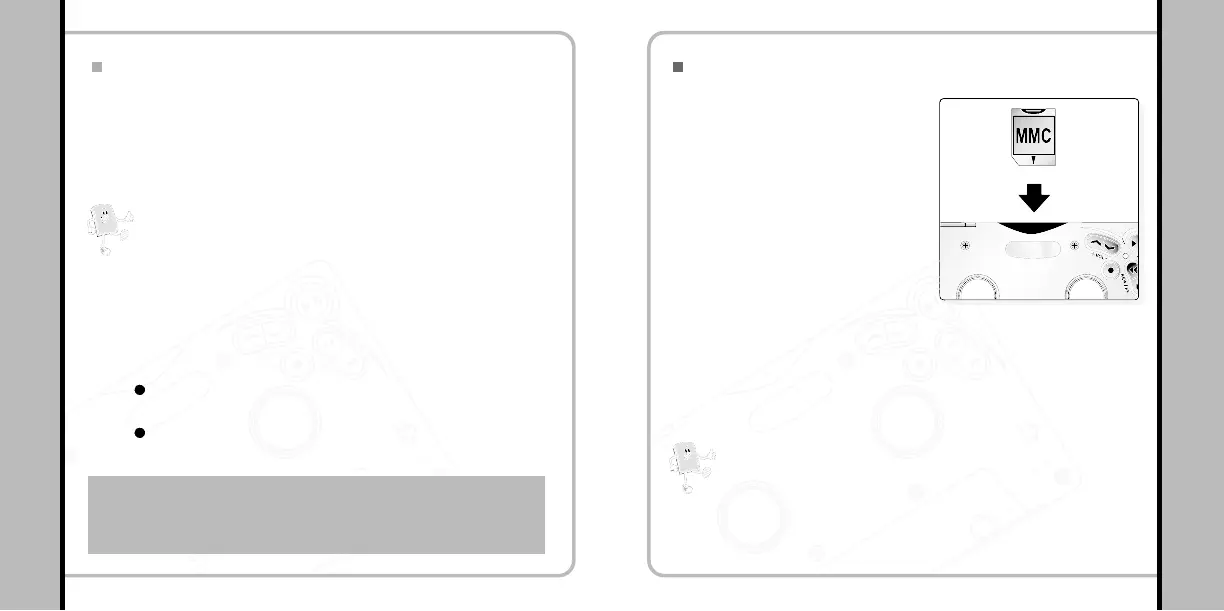
Using Removable Memory Card (MMC)
Using the Player with an Audio Deck
49
Using Removable Memory Card (MMC)
Note!
- Always use the MMC cover enclosed in the package to protect
the card slot from any internal damage when the card is not in
use.
- External memory cards are available at our website or shops.
You can extend the memory
easily by using removable
Multi Media Cards (MMC).
1
Make sure the MMC card is inserted correctly into the
player.
3
The memory can be damaged
if inserting or removing the
MMC from the player when
the player is on. Turn the
power off to insert or remove
the MMC.
2
The volume can be controlled by the volume controller
mounted on the deck. The volumes may vary as the files
have been converted with different volumes.
Power-save mode when playing in the audio deck
Auto Power On Function
RESUME Function
The player will be in power-save mode while it is not being used for
more than five minutes.
To use the player again in the audio deck press PLAY button on the
deck.
You don’t need to turn the power on after pulling the player out.
The player plays a track from the point where it was stopped.
Note!
Controlling Volume from the Deck
Caution : Please get your player out of the deck before stopping car
engine.If you do not use the player in the deck for long, it
may not work again due to low battery.In this case, slimply
take it out and exchange the battery with a charged one.


 To Next Page