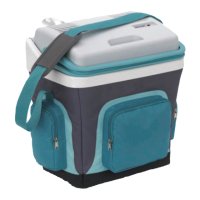
FR35 AC/DC Function description
9
5.1 Scope of functions
Three-level battery monitor to protect the vehicle battery
Turbo mode for rapid cooling
Display with temperature gauge
switches off automatically at low battery voltage
Temperature setting: With two buttons in steps of 1 °C (2 °F)
Removable carrying handles
5.2 Operating and display elements
Lock for lid: fig. 1 1, page 2
Operating panel (fig. 2, page 2)
Item Description Explanation
1ON
OFF
Switches the cooler on or off when the button is
pressed for between one and two seconds
2 POWER Status indication
LED lights up green: Compressor is on
LED lights up orange: Compressor is off
LED flashes orange: display switched off auto-
matically due to low bat-
tery voltage
3 ERROR LED flashes red: Device is switched on but
not ready for operation
4 SET Selects the input mode
– Temperature setting
– Celsius or Fahrenheit display
– Set battery monitor
5 – Display, shows the information
6 “+” Press once to increase the value
7 “–” Press once to decrease the value
Mobicool_FR35-B-16s.book Seite 9 Donnerstag, 18. Oktober 2018 10:47 10


 To Next Page
 Loading...