EasyManua.ls Logo

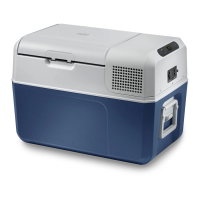
Mobicool MCF32 - User Manual

Mobicool MCF32
46 pages
Print Icon
To Next Page IconTo Next Page
Loading...
Compressor cooler
Operating manual . . . . . . . . . . . . . . . . . . 3
Glacière à compression
Notice d’utilisation. . . . . . . . . . . . . . . . . . 17
Nevera por compresor
Instrucciones de uso. . . . . . . . . . . . . . . .31
EN
FR
ES
COMPRESSOR COOLER
MCF32 MCF40
mobicool.com
Form No. 3317594.000 | 7/20 | ©2020 Mobicool

Table of Contents

Question and Answer IconNeed help?

Do you have a question about the Mobicool MCF32 and is the answer not in the manual?

Summary

Explanation of Symbols and Safety Instructions

Understand Signal Words

Explains signal words like WARNING, CAUTION, NOTICE, NOTE used in safety messages to indicate hazard severity.

Supplemental Directives

Introduction

General Safety Messages

Package Contents

Intended Use

Operating and Display Elements

Details the cooler's operating panel, including buttons, display, LEDs, and connection ports.

Specifications

Operation

Before Initial Use

Instructions for initial cleaning and preparation before operating the cooler.

Selecting the Temperature Units

Guide on switching the temperature display between Fahrenheit and Celsius.

Plugging in the Cooler

Instructions on how to connect the cooler to a DC power supply safely.

Using the Battery Monitor

Explains how the battery monitor protects the vehicle battery and its modes.

Using the Cooler

Guidance on placing, connecting, and starting the cooler for operation.

Latching the Cooler Lid

Instructions on how to properly open and close the cooler lid securely.

Setting the Temperature

How to adjust the desired cooling temperature using the control buttons.

Switching Off the Cooler

Steps to follow to safely turn off and disconnect the cooler.

Performance and Energy Saving Tips

Advice on optimizing cooler performance and saving energy.

Cleaning and Maintenance

Cleaning the Cooler

Instructions for cleaning the interior and exterior of the cooler, including vents.

Defrosting the Cooler

Procedure for removing frost buildup to maintain optimal cooling ability.

Replacing the Fuse

Guide on how to replace the fuse in the DC plug.

Troubleshooting

Disposal

LIMITED ONE-YEAR WARRANTY

Summary

Explanation of Symbols and Safety Instructions

Understand Signal Words

Explains signal words like WARNING, CAUTION, NOTICE, NOTE used in safety messages to indicate hazard severity.

Supplemental Directives

Introduction

General Safety Messages

Package Contents

Intended Use

Operating and Display Elements

Details the cooler's operating panel, including buttons, display, LEDs, and connection ports.

Specifications

Operation

Before Initial Use

Instructions for initial cleaning and preparation before operating the cooler.

Selecting the Temperature Units

Guide on switching the temperature display between Fahrenheit and Celsius.

Plugging in the Cooler

Instructions on how to connect the cooler to a DC power supply safely.

Using the Battery Monitor

Explains how the battery monitor protects the vehicle battery and its modes.

Using the Cooler

Guidance on placing, connecting, and starting the cooler for operation.

Latching the Cooler Lid

Instructions on how to properly open and close the cooler lid securely.

Setting the Temperature

How to adjust the desired cooling temperature using the control buttons.

Switching Off the Cooler

Steps to follow to safely turn off and disconnect the cooler.

Performance and Energy Saving Tips

Advice on optimizing cooler performance and saving energy.

Cleaning and Maintenance

Cleaning the Cooler

Instructions for cleaning the interior and exterior of the cooler, including vents.

Defrosting the Cooler

Procedure for removing frost buildup to maintain optimal cooling ability.

Replacing the Fuse

Guide on how to replace the fuse in the DC plug.

Troubleshooting

Disposal

LIMITED ONE-YEAR WARRANTY

Mobicool MCF32 Specifications

General IconGeneral
Capacity31 L
Noise level49 dB
CertificationCE, E4, GS
Climate classN-T
Refrigerating mediumR134a
Bottle volume supported1.5 L
Number of cans supported52
Cooling temperature range-10 - 20 °C
Number of bottles supported6
Refrigerating medium weight40 g
Power sourceElectric
Input current0.4-4 A
AC input voltage100-240 V
DC input voltage12/24 V
AC input frequency50 - 60 Hz
Energy efficiency scaleA to G
Product colorBlue, White
Interior lightYes
Handles quantity1
Insulation materialPolyurethane (PU)
Package depth640 mm
Package width430 mm
Package height505 mm
Package weight14500 g
Weight and Dimensions IconWeight and Dimensions
Depth365 mm
Width584 mm
Height407 mm
Weight11400 g

Related product manuals