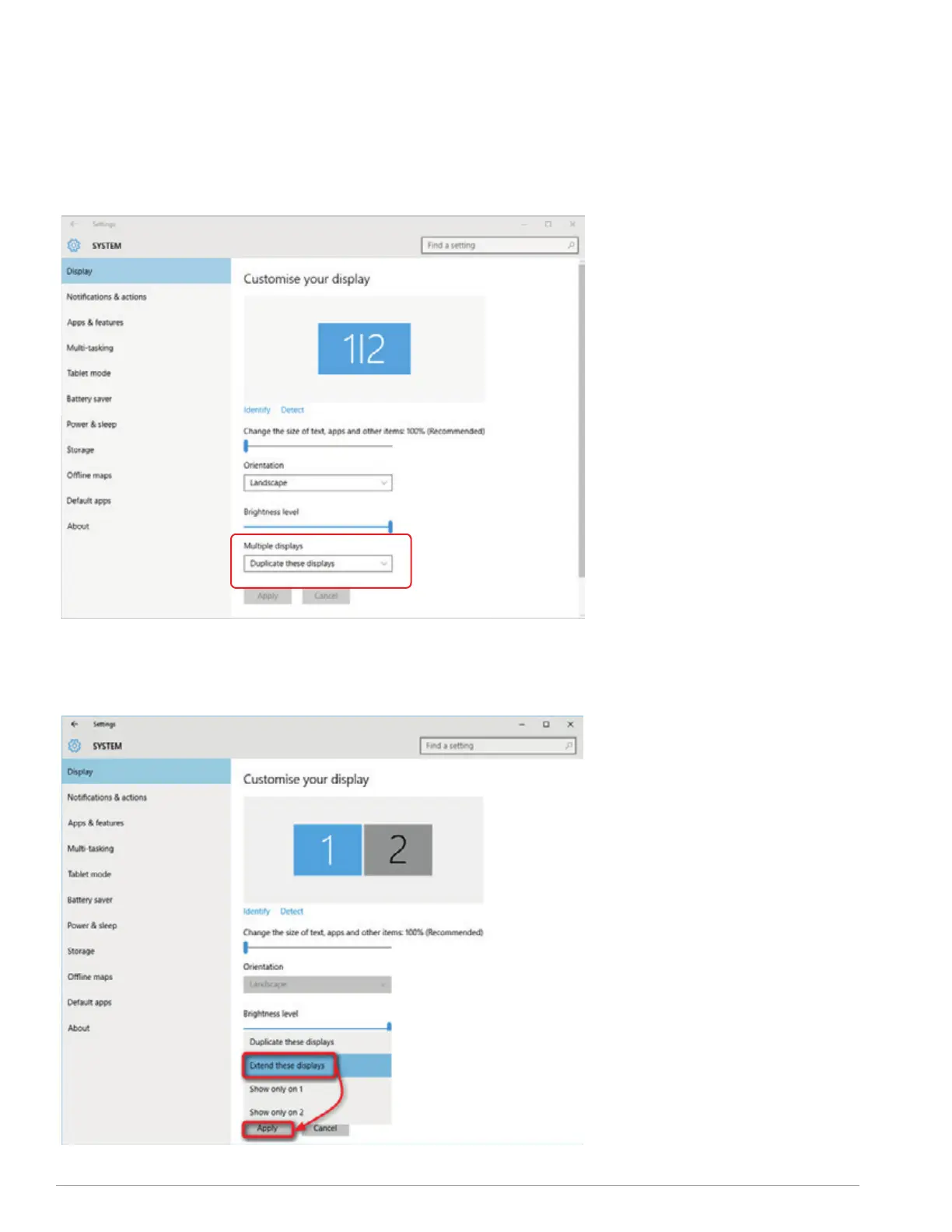
-Right click on your desktop while TRIO/TRIO
MAX Is connected and choose “Display
Setting”
-Then you should either see this screen or
the one at next Section
-If you have a duplicate screen and want to
change it to extend mode, click on the
“Duplicate these displays” from the drop
down box
-When the drop down box is opened,
choose “Extend these displays”
-Then click “Apply”
-Now you are in Extend Mode
4.1.1 WINDOWS SETTINGS
. DUPLICATE MODE TO EXTEND MODE
SECTION : DISPLAY SETTINGS
9



 To Next Page