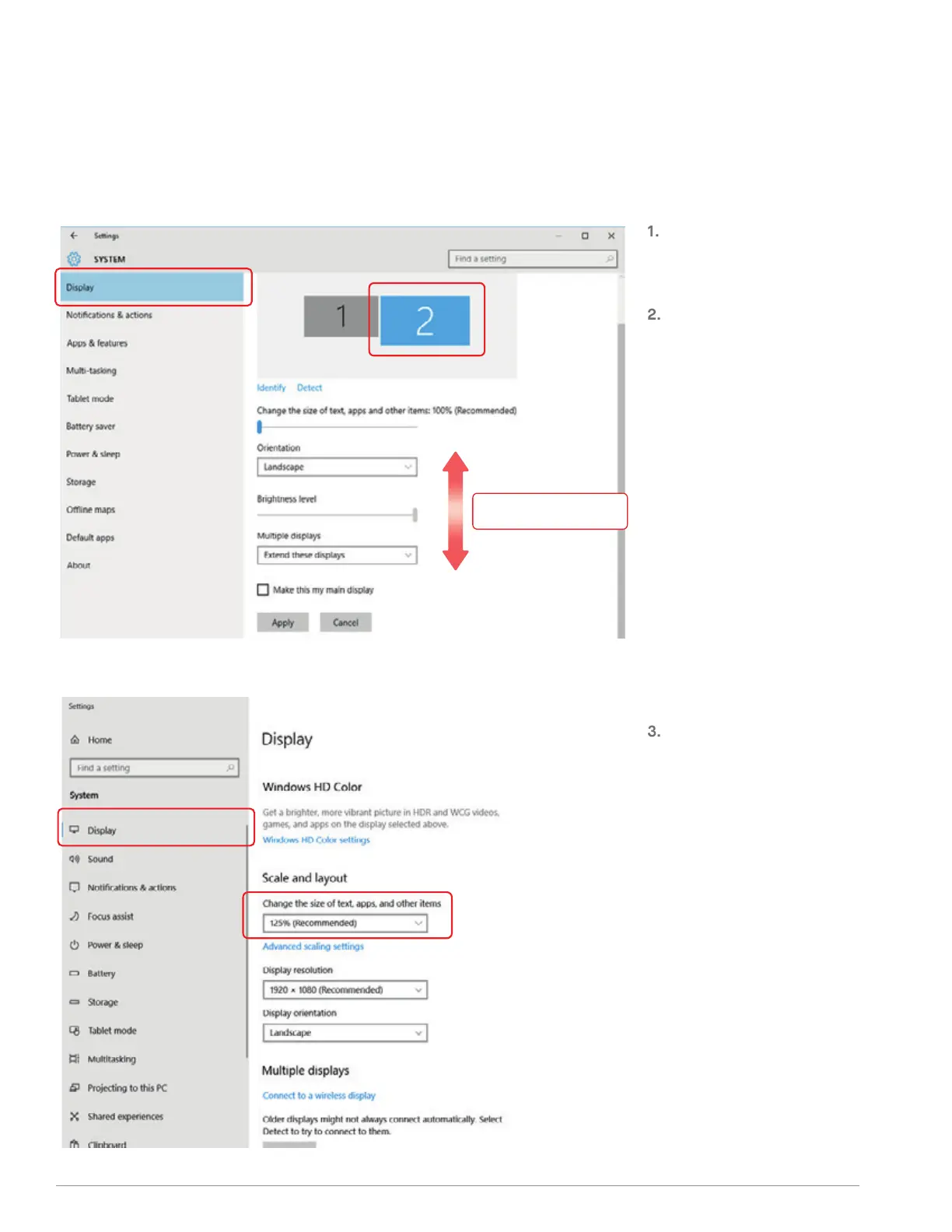
. CHANGE DISPLAY SETTINGS TO ADJUST CONTENT
SIZE
.. WINDOWS
To adjust content size on Trio/Trio
Max monitor, first click on the
number “2” monitor under Display
setting.
Scroll down and look for “scale and
layout” options
Scroll Down
Default size of text is set at 125%
and user can increase it up to 175%
or reduce back to 100% base on
user preference.
13



 To Next Page