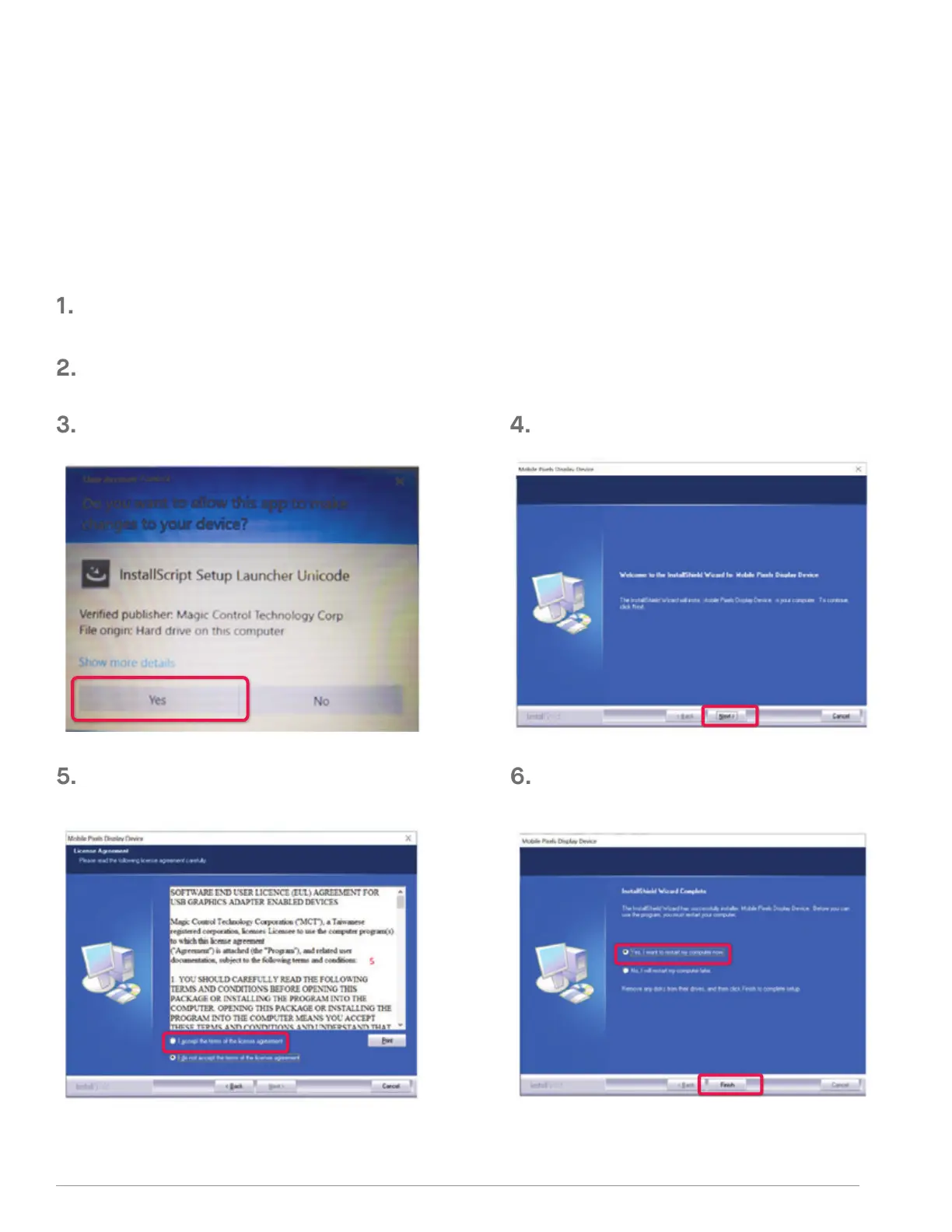
Double click and launch the installer.
Click “Yes” in the window below.
Click ”Next” in the Window below:
Please select “I accept the terms of the license agreement”
and click Next
Please select “Yes, I want to restart my computer now”
and click Finish
Please download the correct windows driver from:
WWW.MOBILEPIXELS.US/PAGES/DOWNLOAD-DRIVERS
2.1 WINDOWS INSTALLATION GUIDE
SECTION : DRIVER INSTALLATION GUIDE
When using USB C to connect, driver installation is not necessary.
Connect Windows Laptop to Mobile Pixels Trio/Trio Max Monitor, wait 20 secs and the monitor
should turn on. In the event the monitor does not turn on, please follow the steps below:
2



 To Next Page