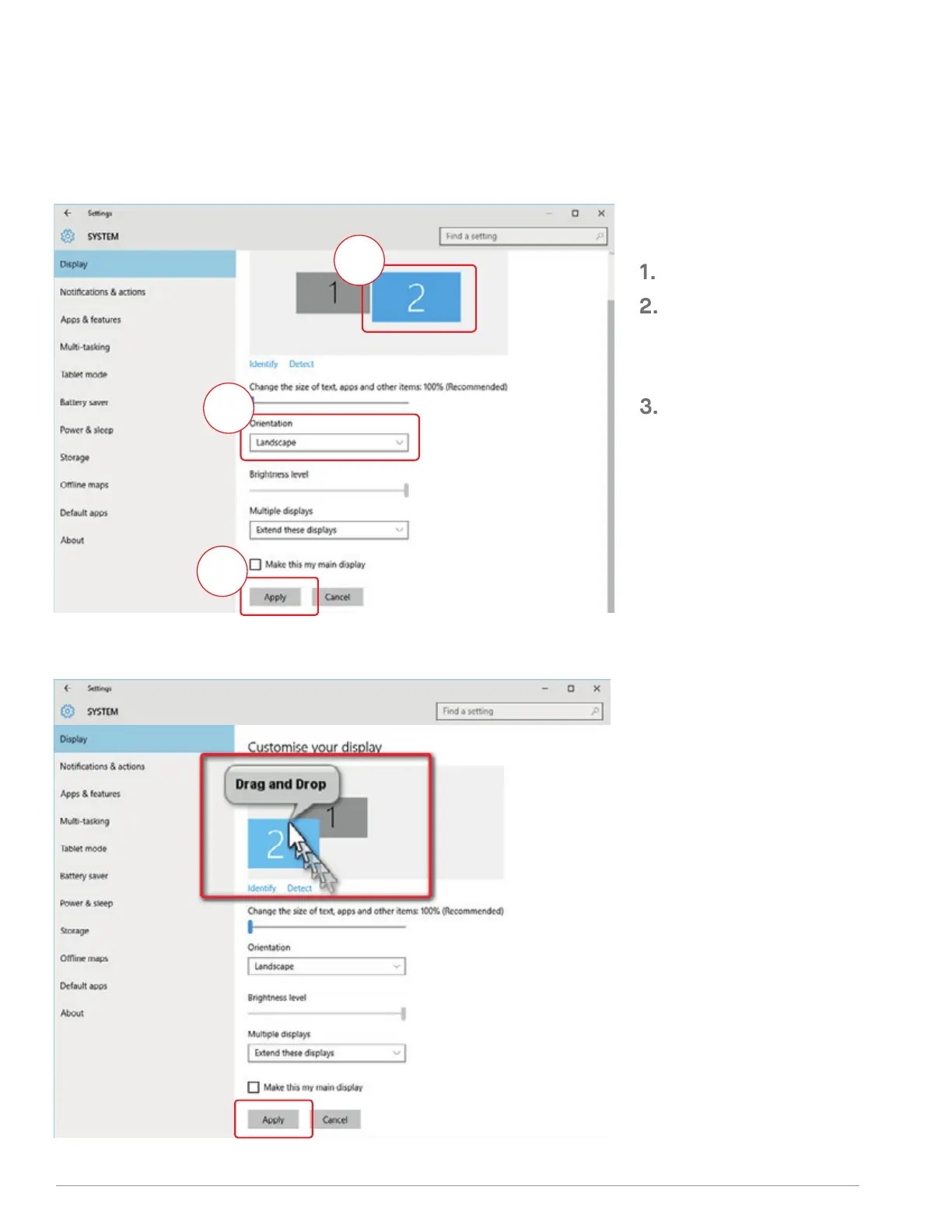
If you are already in “Extend mode”
and want to use TRIO/TRIO MAX on
the left
First click on the 2nd screen icon
Then open the Orientation drop
down box and change it from
“Landscape” to “Landscape
(flipped)”; Choose "Portrait" for
Portrait Mode".
Then click “Apply”
#1
#2
#3
-Now your screen is upside down
and ready to be use on the left with 1
extra step.
-Move the 2nd display icon from the
right to the left of the 1st display by
simply “Drag and Drop” it.
-Click “Apply” to finish the setting of
the lay out.
4.2.1 WINDOWS SETTINGS
. ROTATE DISPLAY AND LAYOUT SET UP
11



 To Next Page