Front of
the laptop
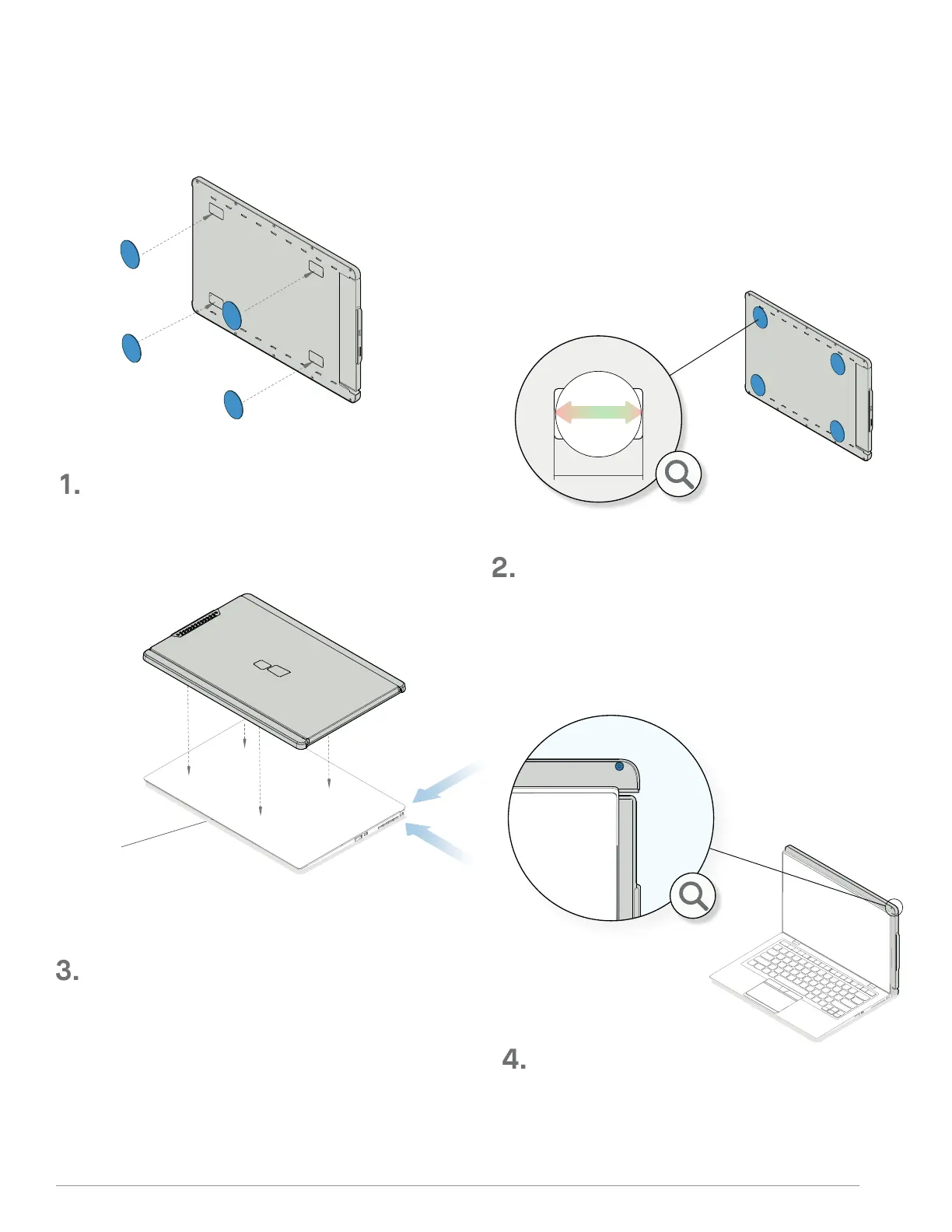
Once the metal plates are all placed, close your
laptop and align TRIO/TRIO MAX.
Place the metal plates (included in the box) over
the magnets in the back of TRIO/TRIO MAX.
For a proper install try to match the right edge of
TRIO/TRIO MAXwith one screw exposed past the edge
of the laptop.
Align bottom of TRIO/TRIO MAX to bottom of the laptop.
Make sure round plate is centered on the magnet
*USB Cable omitted
36
. ATTACHMENT MODE
SECTION : MONITOR POSITIONING GUIDE
4



 To Next Page