MobileView 7000 Series User Manual 27
Special Concepts
Modify an event to trigger an alarm in the following ways.
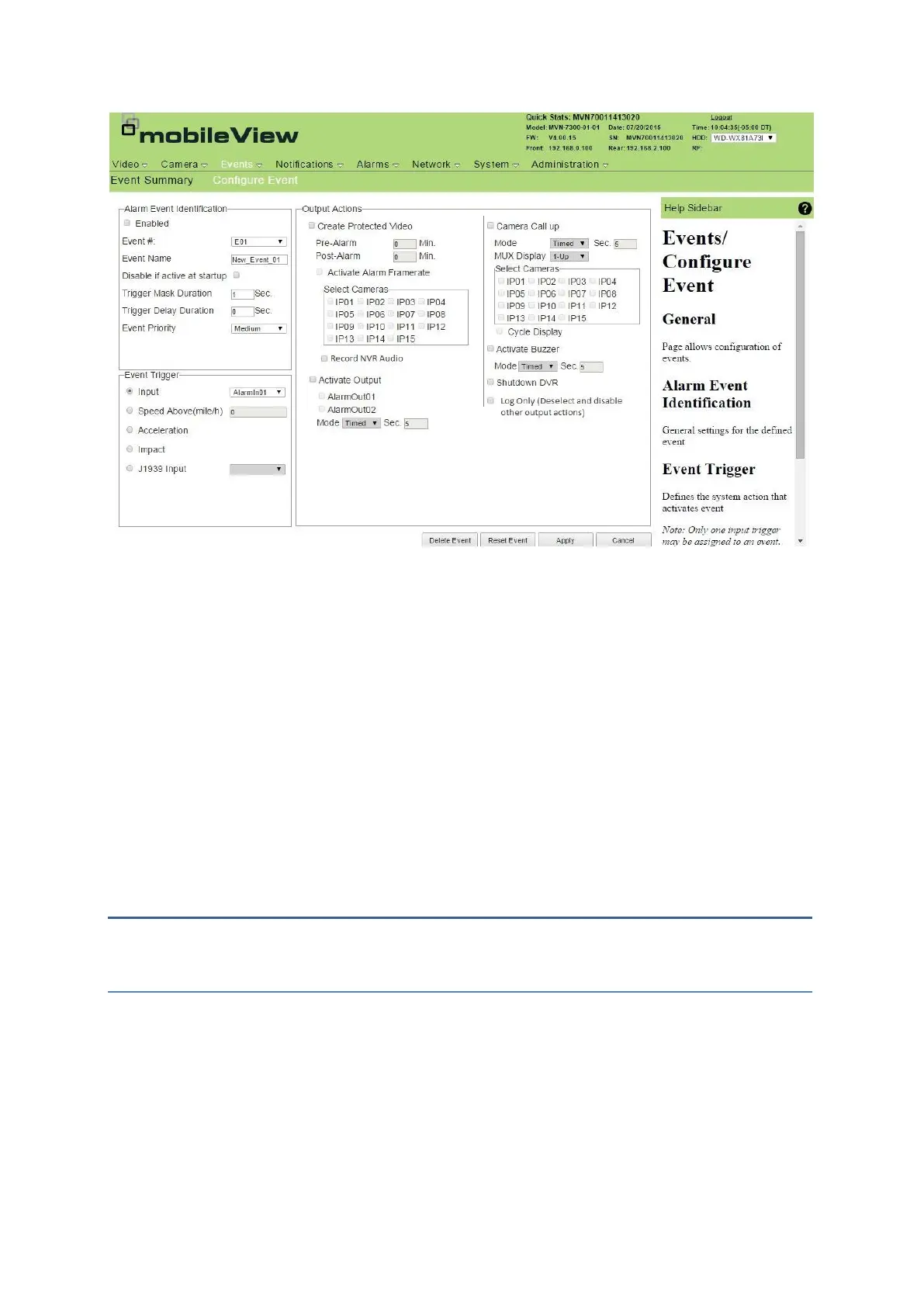
Disable if active at startup: When selected, the device ignores an input if it is active during
system boot. This helps eliminate undesired event activations if an input is wired or
configured incorrectly. If the input changes to inactive, the input is no longer ignored.
Trigger Mask Duration: Once an input triggers an event, subsequent activation of the same
input can be ignored for the duration defined by the Trigger Mask Time. This feature ensures
only one occurrence of the event occurs during the specified time.
Trigger Delay Duration: This value requires the input remain active for the specified period
before the event can trigger. This feature monitors inputs normally fluctuating between active
and inactive state over a short duty cycle but lock into active state when in fully active.
Notification Pages
Notification configuration settings provide an alert for conditions requiring attention.
System Alarms
Configure system alarms and alert parameters using System Alarms. Active system alarms are
displayed on the LCD of the Exception menu and transmitted using the J1939 interface extension
when enabled. System alarms are ignored unless the Report check box is selected.



 To Next Page