MobileView 7000 Series User Manual 32
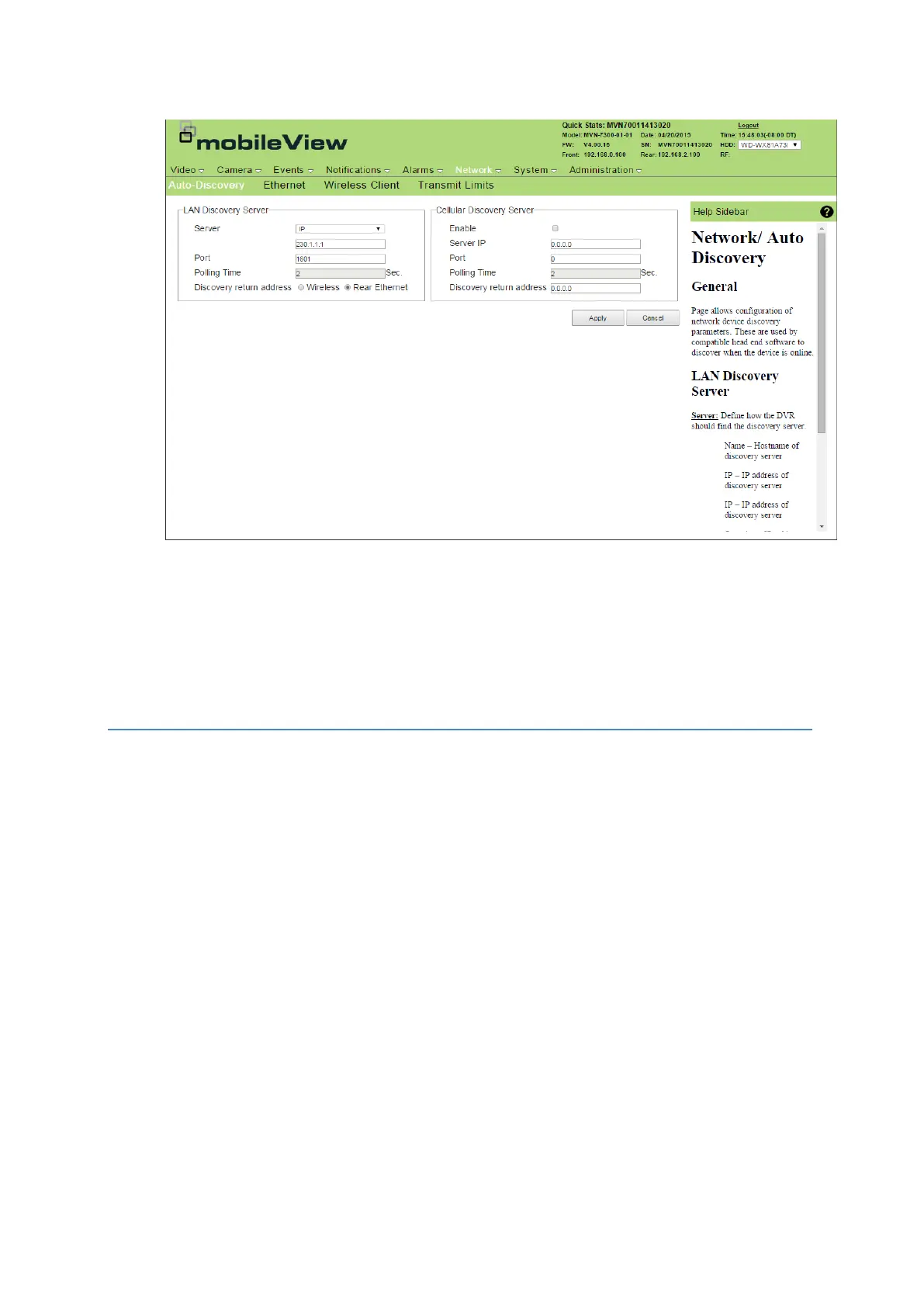
Auto Discovery
1. Click Network.
2. Click Auto-Discovery.
3. Enter the LAN and Cellular discovery server information.
4. Click Apply.
Ethernet
The device contains two physical network interface cards (NIC) named Front NIC and Rear NIC. The
Front NIC is dedicated for service and maintenance support and has a fixed IP address (192.168.0.100
/ 255.255.255.0) that cannot be changed. The Rear NIC supports two networks, each have thei own IP
addresses. Use the Ethernet option to configure Rear NIC addressing.
Assign Ethernet Ports
The Front NIC displays and cannot be changed. The Rear NIC information displays in a separate
chart, some items can be edited.
1. Click Network.
2. Click Ethernet.
Camera Network: This network is designated for connection to IP cameras.
Rear Network: This network is designated for connection to user specified backend
networking devices. These may include high end wireless equipment or other systems on
the vehicle.
3. Make any necessary changes to the network including changing the IP address of the interface,
subnet mask of the interface, gateway of the interface, and the HTTP port for the interface.
4. Click Apply.



 To Next Page