13
Monitor Menu Operation
Note:
When making a selection in auto SCAN mode, the CAM1/CAM2 will switch
automatically until either the buttons are pressed. Multi-screen display
model menu key operation is valid.
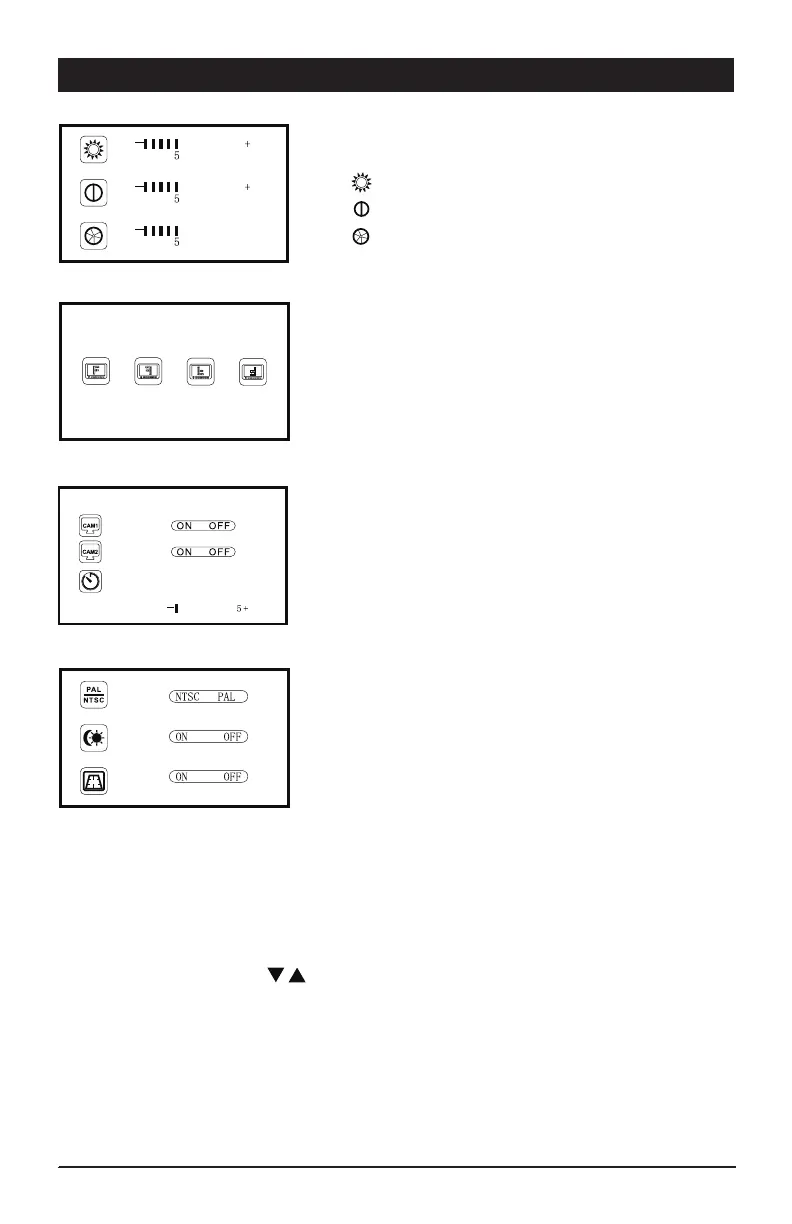
1) Picture Setting:
Enter the main menu, choose Picture and press OK.
A)
Brightness: 0-10 (Press Left/Right to adjust)
B) Contrast: 0-10 (Press Left/Right to adjust)
C) Color: 0-10 (Press Left/Right to adjust)
2) Mirror/Normal Image Settings:
Set the CAM1/CAM2 Image in 4 modes.
3) Auto Scan Setting:
A) Set CAM1/CAM2 auto scan mode on/off.
B) Set camera auto scan time.
4) Additional Settings:
A) NTSC or PAL system switch.
B) LED screen ambient light sensor on/off.
C) Distance grid setting
- Turn on/off the distance grid for CAM 1


 To Next Page