14
Camera Pairing
Replace an in-active or broken camera:
1) With the monitor on , make a note of the
defective camera position (CAM 1, CAM2), then
install the replacement camera. Leave the power
wires disconnected.
2) Press and hold the “M/P” button on the monitor’s
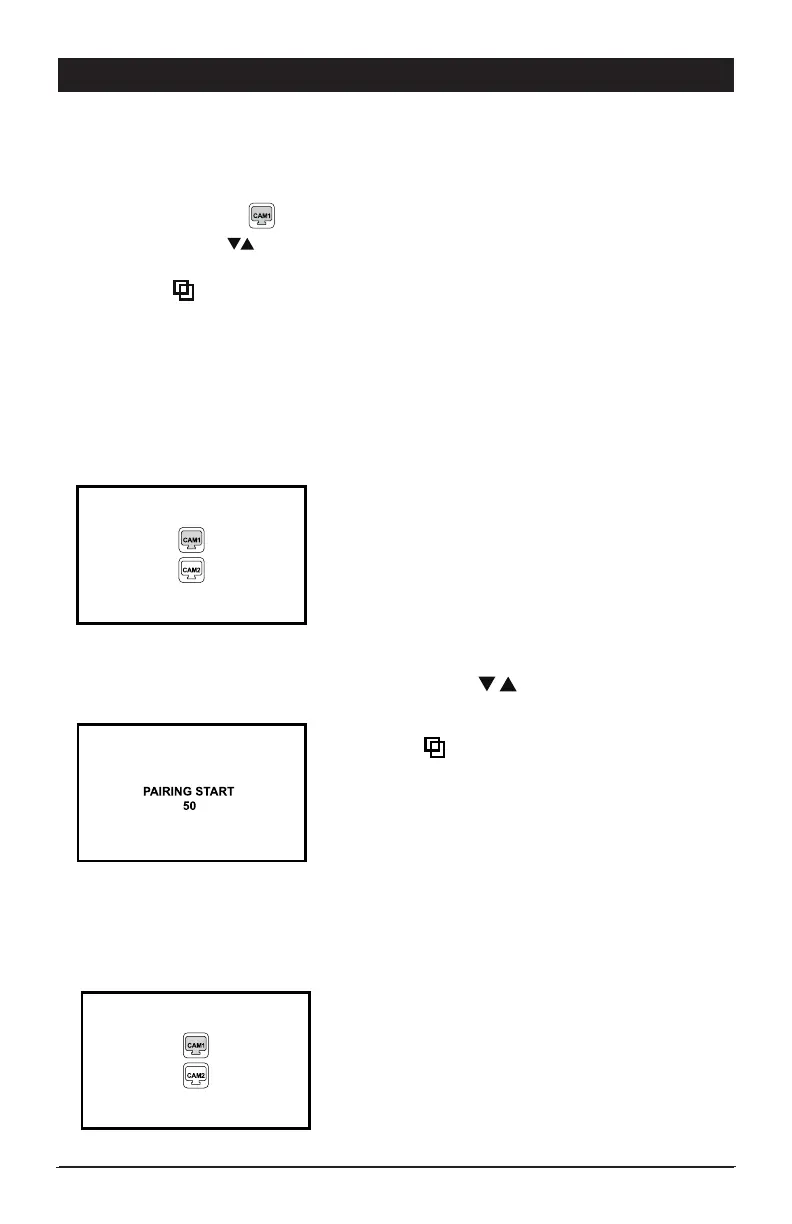
front panel for a few seconds. The monitor
screen will display the camera selections with
CAM 1 highlighted.
3) Use the up/down buttons on the monitor
to select the camera position that you want to
pair the new camera to.
4) Press the button on the monitor to select the
input location and monitor screen message will
change to “PAIRING START 50”
5) Apply power to the replacement camera. When
pairing is completed, the screen will change to
the camera viewing mode.
Swapping Camera Positions:
There may come a time that you want a particular
camera to show up under a specific position
on the monitor. Re-arranging the cameras to
different positions is the same procedure as
setting up a “New Installation”.
Make note of the camera and the postions you
want them in and follow the pairing procedure
for “New Installation”.
• The camera must be powered off prior to pairing procedure
(disconnected from power)
• Turn on the monitor then press and hold the “M/P” button on the monitor’s front
panel for a few seconds. The monitor screen will display the camera selections with
CAM 1 highlighted.
• Use the up/down buttons on the monitors to select the camera position that you
want to pair the new camera to.
• Press the button on the monitor to select the input location and the monitor
screen message will change to “PAIRING START 50”
• Apply power to the camera by plugging the camera’s power lead into the vehicle
power lead. When pairing is completed, the screen will change to the camera
viewing angle.
• Repeat above steps to pair an additional camera.


 To Next Page