SETUP MENU
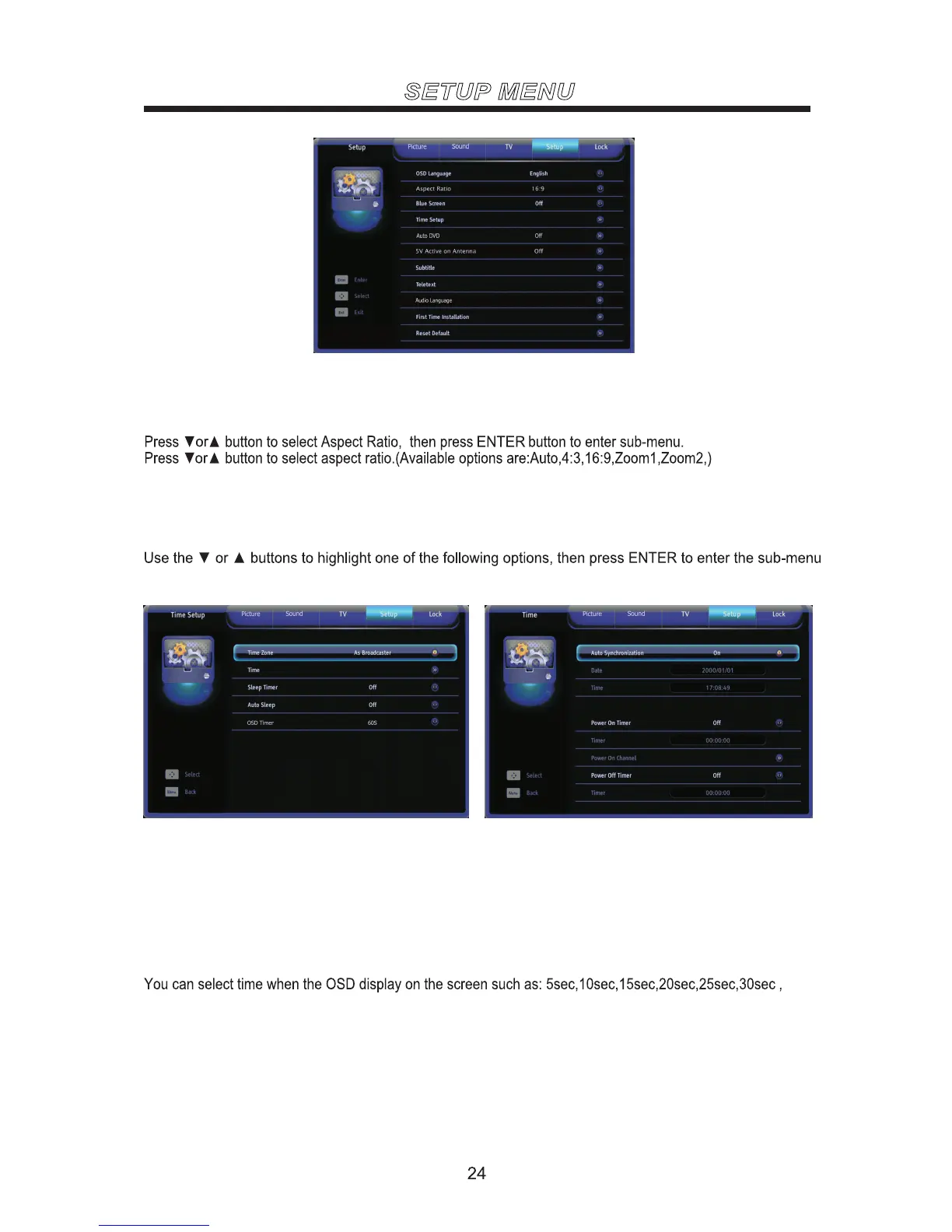
Set the On-Screen-Display language.
OSD Language
Set the screen to blue or not when having no signal.
Blue Screen
and press◄ or ► to adjust. Set Time Zone/Time/Sleep Time/Auto Sleep.
Time Setup
Time Zone Set the time zone.Press ◄ or ► to select the time zone.
Time Set the current date / time .Press ◄ / ► / ENTER to adjust.
Sleep Timer Set the sleep time.Press ◄ or ► to select the sleep time.
Off Set the Auto Sleep off.
On Set the Auto Sleep on.
Auto Sleep
Auto DVD
Aspect Ratio
5V Active on Antenna
Set the Auto DVD ON or OFF. If it is on, DVD can play automatically once the disk is inserted in even though
the TV is in other source.
The default setting is OFF.
Set the 5V Active on Antenna ON or OFF.
The default setting is OFF.
OSD Timer
60sec.



 To Next Page