Zeus200 Installation manual
V 1.0.7 - 12/10/2020 Page 16 of 28
2.5.2 Element identification
The charging unit must be positioned as close as possible to the primary battery, in a dry place and
not subject to high temperatures. The wiring must be oriented downwards, in such a way that no
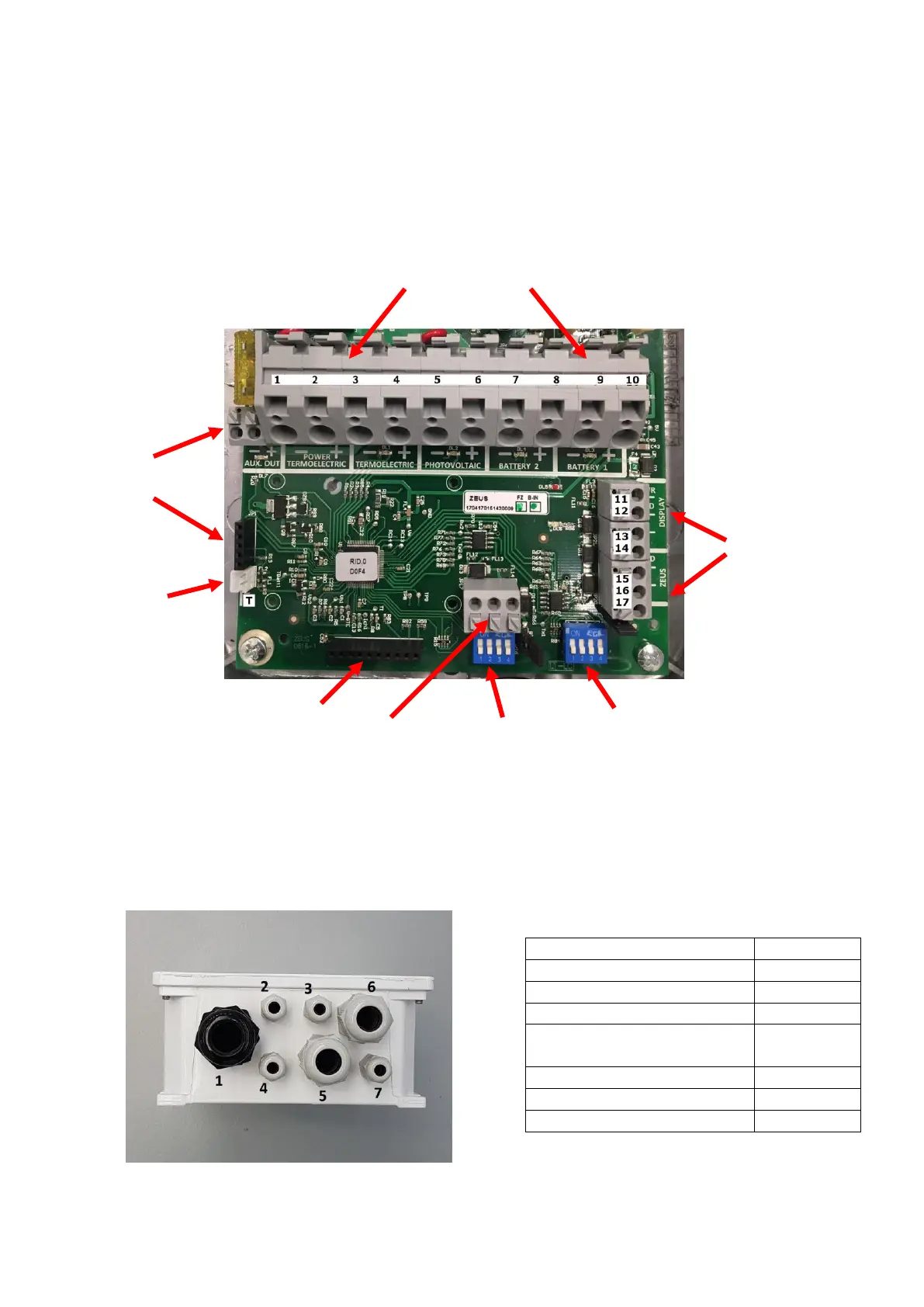
water can be in contact with electronic parts. The following figure shows the power unit and the
various elements required for installation.
The following picture shows the cable entries on the front side of the control unit; the table shows
the types of cables to be passed through each cable entry. In case of unused entrances, insert a plug
or a small piece of cable and then tighten the cable gland.


 To Next Page