Zeus200 Installation manual
V 1.0.7 - 12/10/2020 Page 25 of 28
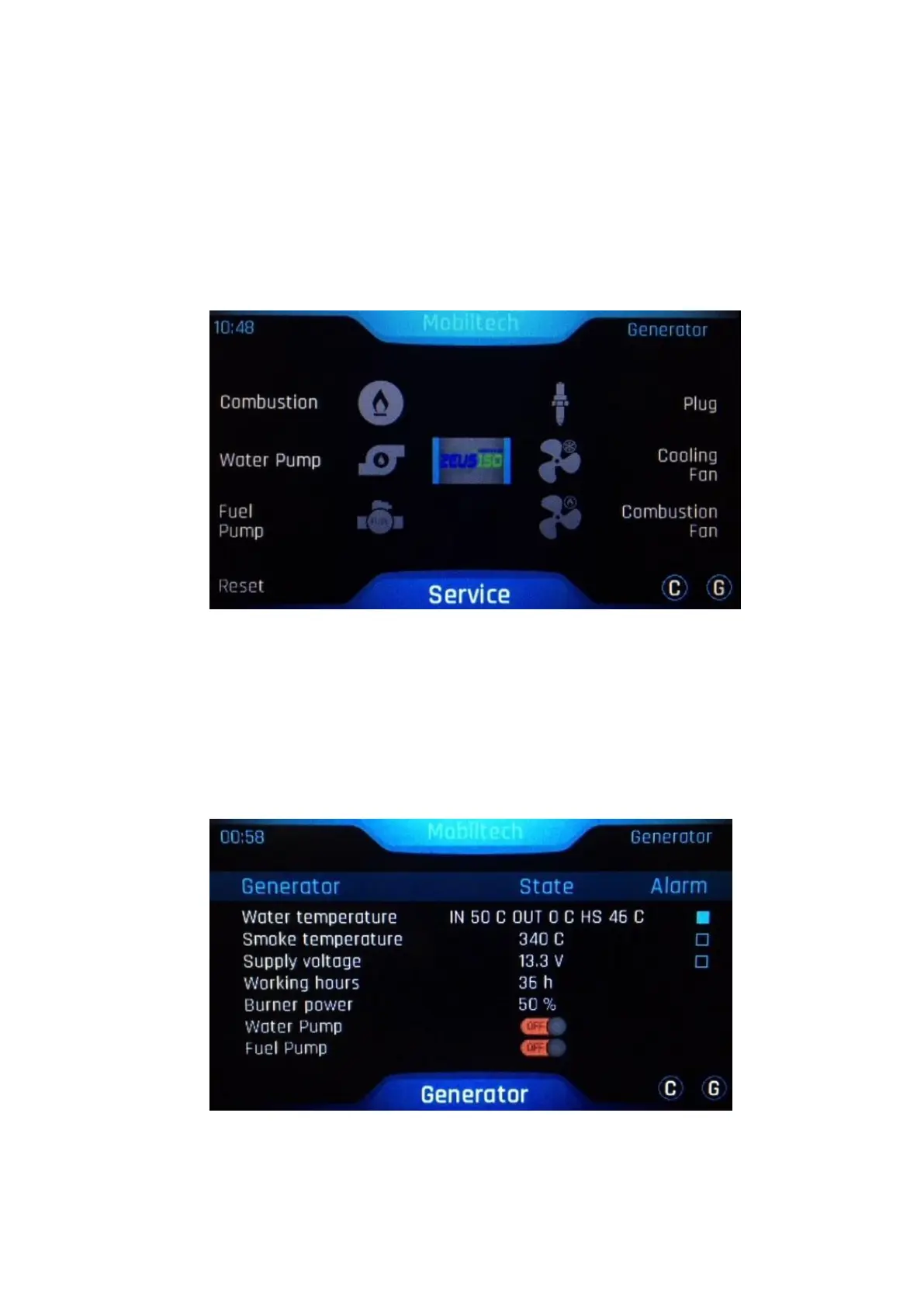
3.2 Alarm pop-up reset
In the event of hardware errors, it is possible to reset the signal by entering the generator
maintenance menu. The error icon will be displayed in red. Reset it by pressing the icon for 3-5
seconds and wait for another 5-10 seconds for the update and the checks performed by the system.
It is also possible to reset the error by pressing the reset button at the bottom left.
ATTENTION: pressing the reset button will also reset timers, mode and battery
management settings to factory state
3.3 Historical of alarms
If the customer experience a functioning defect that can be reset from the user menu, it is possible
to check its history under the function "Alarm”.
To reset the error, press the word "Alarm" and confirm with OK; the reset procedure takes about 5
seconds.


 To Next Page