MOBIUS TRIMMER M108S USER GUIDE
20
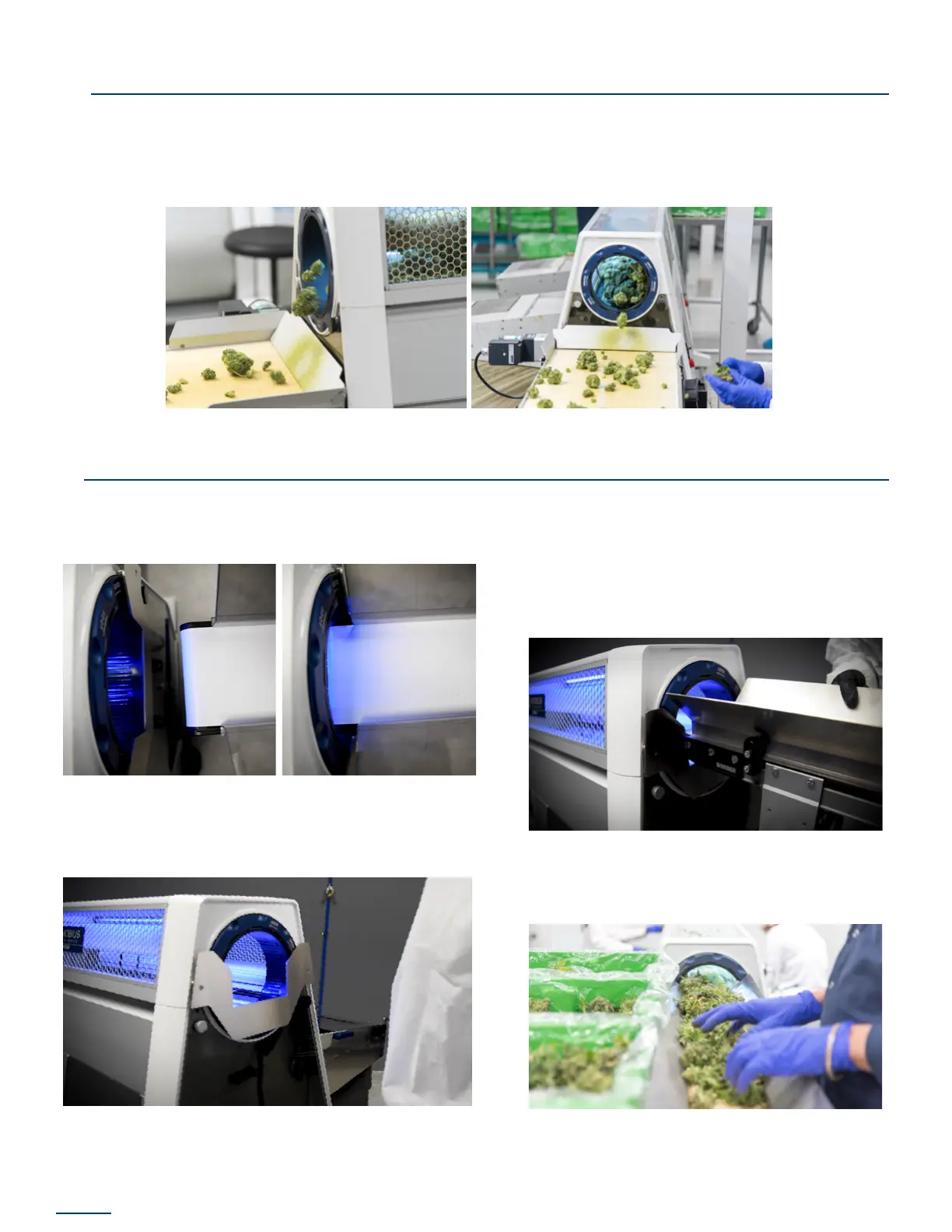
OUTFEED CONVEYOR
INFEED CONVEYOR
• Adjust the legs of the outfeed conveyor so that the height of the belt and kick plates are
below the outfeed of the trimmer.
• Position the outfeed conveyor adjacent to height to have the belt surface ll the conveyor
belt with material prior to turning on either the trimmer or the conveyor.
1. Ensure the infeed conveyor guide rails are
positioned to allow for approximately 2.5”
of belt clearance into the tumbler.
2. Install the Mobius Conveyor Guide onto
the trimmer by inserting the guide posts
into the receptacles on the lid.
3. Adjust the legs of the infeed conveyor so
that the end of the conveyor belt can be
inserted into the tumbler and the bottom
of the conveyor belt frame is close to or
just resting on the Conveyor Guide. It is ok
if the lead conveyor legs lift off the oor
when the tilt angle is increased.
4. Fill the infeed conveyor belt with material
in preparation for beginning trimming
operations.


 To Next Page