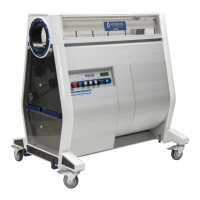
SETTING UP TO OPERATE
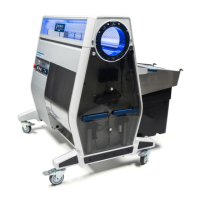
The M108S Trimmer can be operated as a single unit, manually feed using the infeed
hopper that comes included with the machine, or it can be operated as part of a larger
automation line for high-volume trimming and sorting. The following sections describe
how to pair other equipment with the Mobius Trimmer.
PAIRING THE M108S TRIMMER WITH MOBIUS CONVEYORS
To get the most out of your Mobius Trimmer, consider pairing it with an Infeed Conveyor
and an Outfeed Conveyor.
Pairing the M108S with an Infeed Conveyor instead of manually feeding it using a hopper
offers the following benefits:
● Higher throughputs;
● More consistent trimming results;
● Opportunity to remove foreign objects (i.e. pieces of lattice, zip ties, gloves, etc.)
before they run through the trimmer with your product; and
● Ability to pull out excess water leaves, which boosts both throughputs and trim
potency.
Adding an Outfeed Conveyor instead of having your trimmed flower simply fall into a
collection bin offers the following benefits:
● Real-time quality control (QC) of trimmed product;
● Ability to monitor and, if necessary, adjust trimmer settings to dial in finished
product; and
● Ability to easily weigh and batch product as it comes out of the trimmer.
Mobius Conveyors have been designed specifically to integrate with the M108S Trimmer. To
pair the Mobius Infeed Conveyor to the M108S Trimmer, install the infeed guide plate on the
trimmer and then hook the belt tensioning stubs on the conveyor frame into the hooks on
the guide plate. As the trimmer is raised and lowered during operation, the guide plate will
ensure that the Infeed Conveyor stays connected to the trimmer and moves up and down
with it.
MOBIUS M108S USER GUIDE 13


 To Next Page