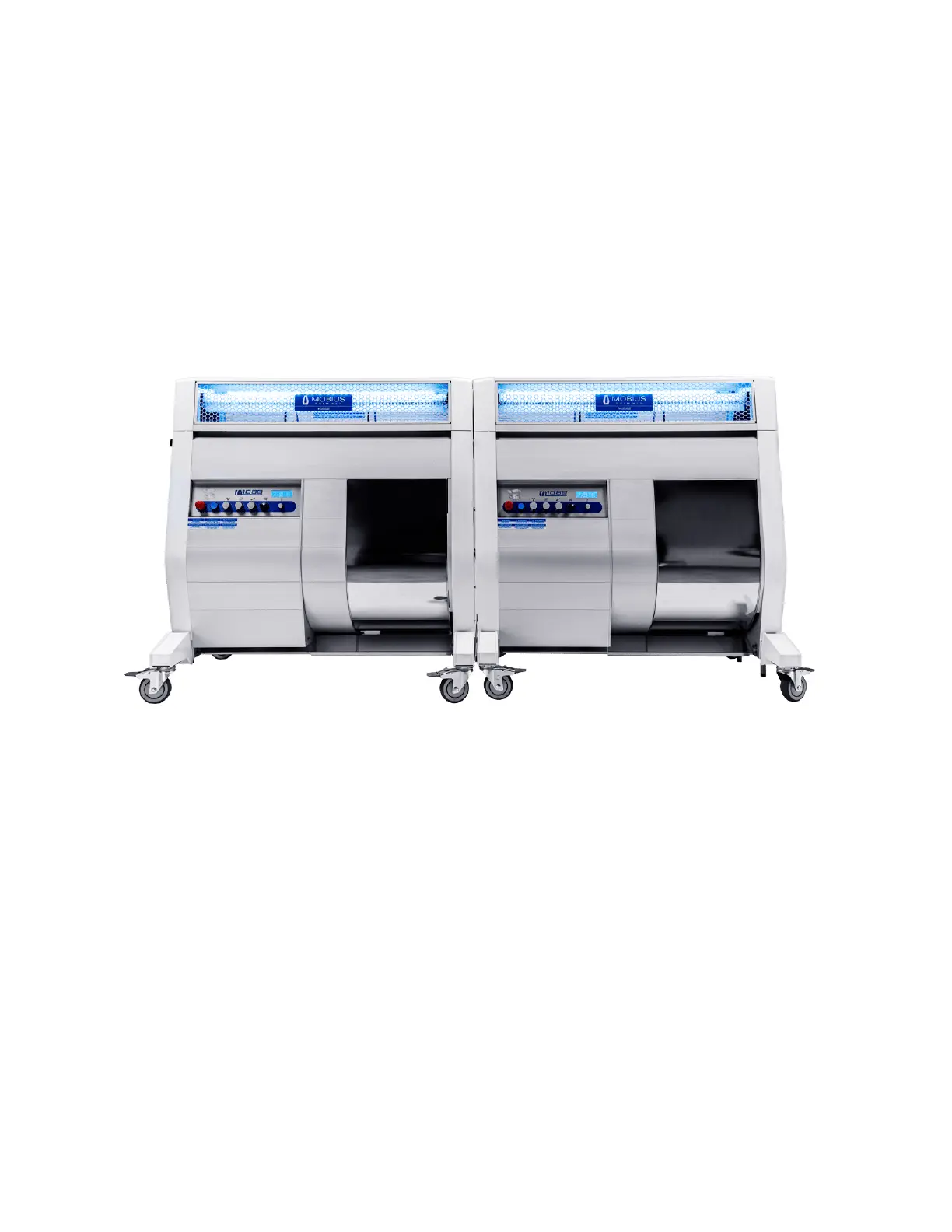
TANDEM SET-UP
If your operation is looking to process larger volumes or simply wants to increase its hourly
trimming throughput, connecting two Mobius M108S Trimmers in tandem is the answer.
A how-to video for connecting two M108S units in tandem is available at:
mobiustrimmer.com/instructions/m108s-trimmer-tandem-setup/
PAIRING THE M108S TRIMMER WITH THE MOBIUS M9
SORTER
Mobius equipment is designed to be modular and one of the options that really helps drive
automated processing operations is the Mobius M9 Sorter. When set up as an automated
trimming and sorting line, the Mobius M9 Autofeed Conveyor connects the two machines
so that product can flow continuously and seamlessly from the M108S Trimmer to the M9
Sorter.
Note: The line can be configured with or without the Mobius Outfeed Conveyor and each
piece can be set up either inline or at right angles. Below are some of the configuration
options.
MOBIUS M108S USER GUIDE 15


 To Next Page