User Manual Mobius Maxi 4K Camera Version: V2.0
10
Camera Setup (configuration and date/time setting)
There are four methods to sync the camera's date and time, and to set the parameters:
○ mSetup: very powerful and convenient GUI tool for Windows, written by Isoprop
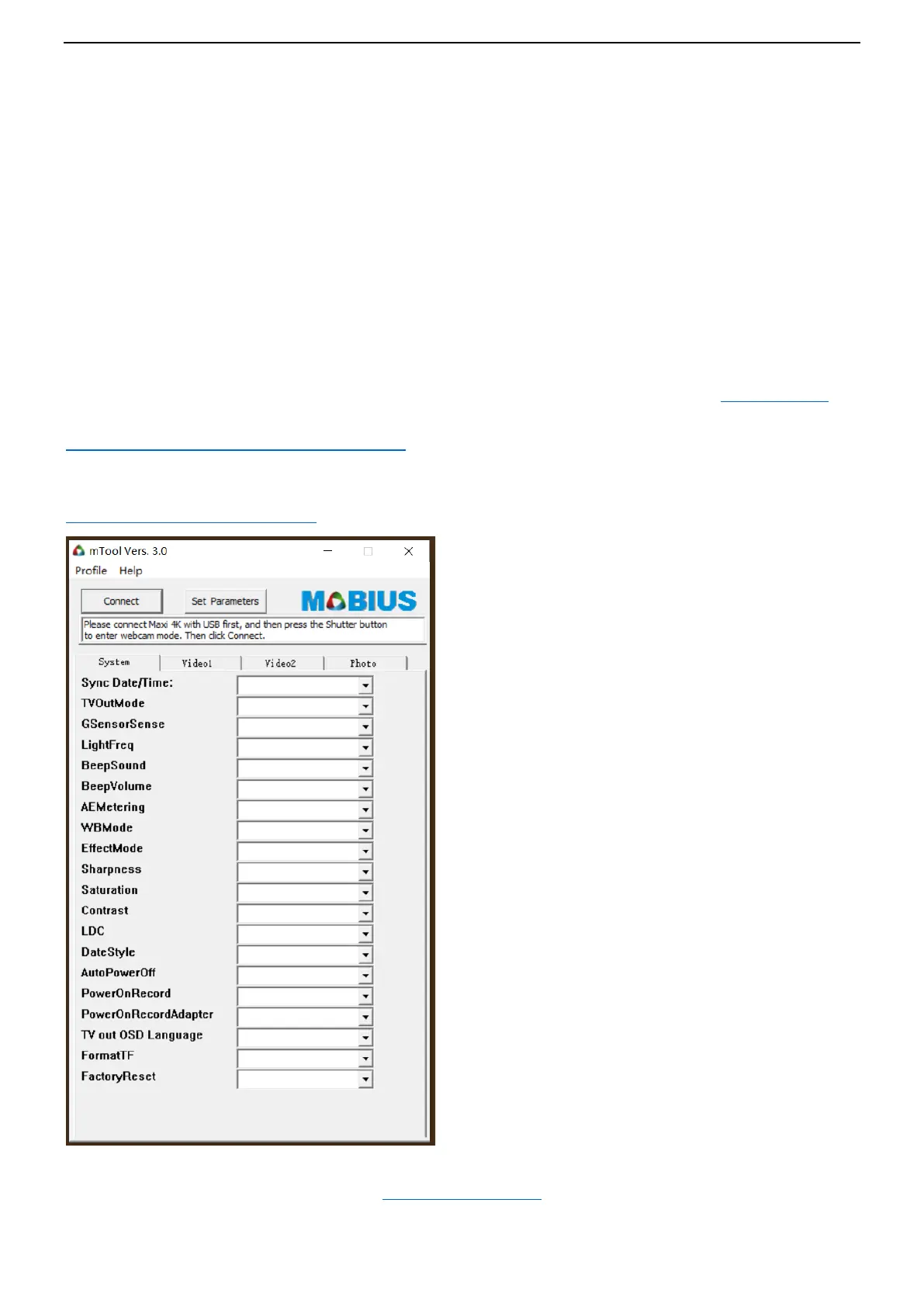
○ mTool : another GUI for Windows, it’s a simple and small tool, and it’s only for MM4K.
○ Text file (SYNC_PARA.CFG.BAK): simple text file editing (works on most operating systems)
○ external TV/monitor (OSD): uses camera button presses to select function settings.
1. GUI configuration: mSetup - recommended method for Windows users
On Windows it is recommended to always use the program mSetup.exe to modify the camera's configuration or
format the SD card. mSetup communicates directly with the camera and makes configuring the camera a very
simple task. It has tool tips for each setting as well.
mSetup will also alert and prevent conflicting settings being set.
The camera must be in Webcam mode in order to set the parameters by software. Please see Webcam Mode
You can download mSetup on below site:
http://www.mytempfiles.info/mobius/mSetup.zip
2. GUI configuration: mTool (another Windows tool)
Please download the tool from below link:
www.mobiusactioncam.com/maxi4k
(Back to Table of Contents)


 To Next Page