58/160
S15 Camera Manual: Product Overview
© MOBOTIX AG • Security-Vision-Systems • Made in Germany
www.mobotix.com • sales@mobotix.com
1.4 Available Accessories
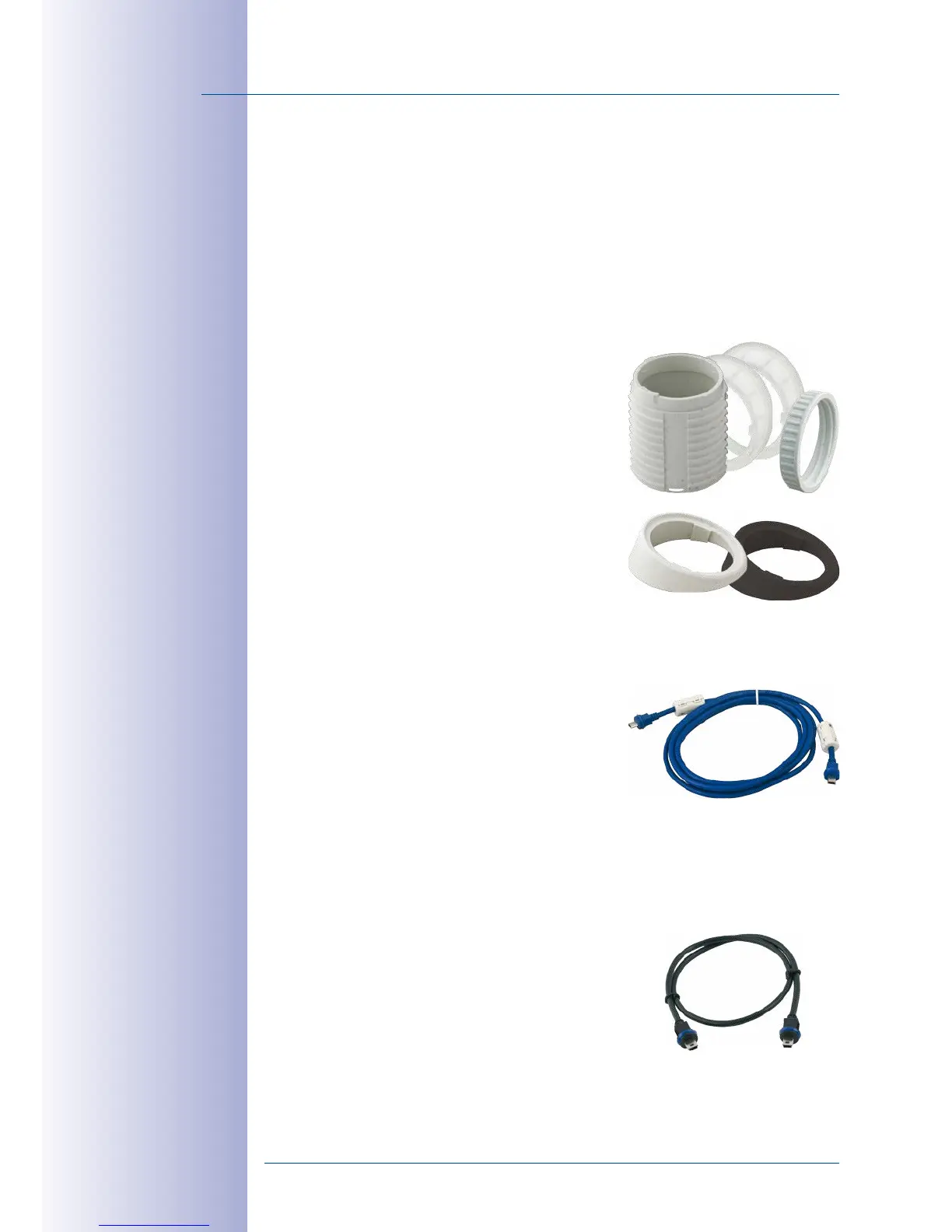
1.4.1 Extension for Sensor Module
Order No.: MX-S15-OPT-MK-EX
Each of these extensions increases the installation depth by 40mm. They can be mounted
directly onto the sensor modules themselves or onto existing extensions.
1.4.2 Ceiling/Wall Installation Set
Order No.: MX-S15-OPT-MK-CW
This set contains everything that is needed to attach a
sensor module to a ceiling or wall using 15° wedges:
One extension (MX-S15-OPT-MK-EX), two 15° wedges
(white, black), two wedge washers and an additional
nut.
Out of the colored wedges, use the most suitably-colored
wedge for the visible area and the other one for insert-
ing on the rear.
1.4.3 Connection Cable for Sensor Module
Order No.: MX-FLEX-OPT-CBL-05/1/2
This cable, which is up to two meters long, connects
one sensor module to the S15D. The seals integrated
into the cable combine with the bayonet catch on the
sensor module and the sealed port of the S15D to pro
-
vide IP65-compliant weatherproofing. Also included
are two hinged ferrites that are attached at a distance
of 10cm to the base module and the sensor module
after installation.
1.4.4 MiniUSB Cable to MiniUSB (Straight/Straight or Straight/Angled)
Order No.: MX-CBL-MU-STR-05/2/5 (Straight/Straight)
Order No.: MX-CBL-MU-EN-STR-05/2/5 (Straight/Angled)
With this cable, which is up to five meters long, MOBOTIX
add-on modules (MX-232-IO-Box, ExtIO, CamIO) can be
connected directly to the S15.
Do not bend the
sensor cables
Cables with straight
plugs can be used for the
S15 on the camera only



 To Next Page