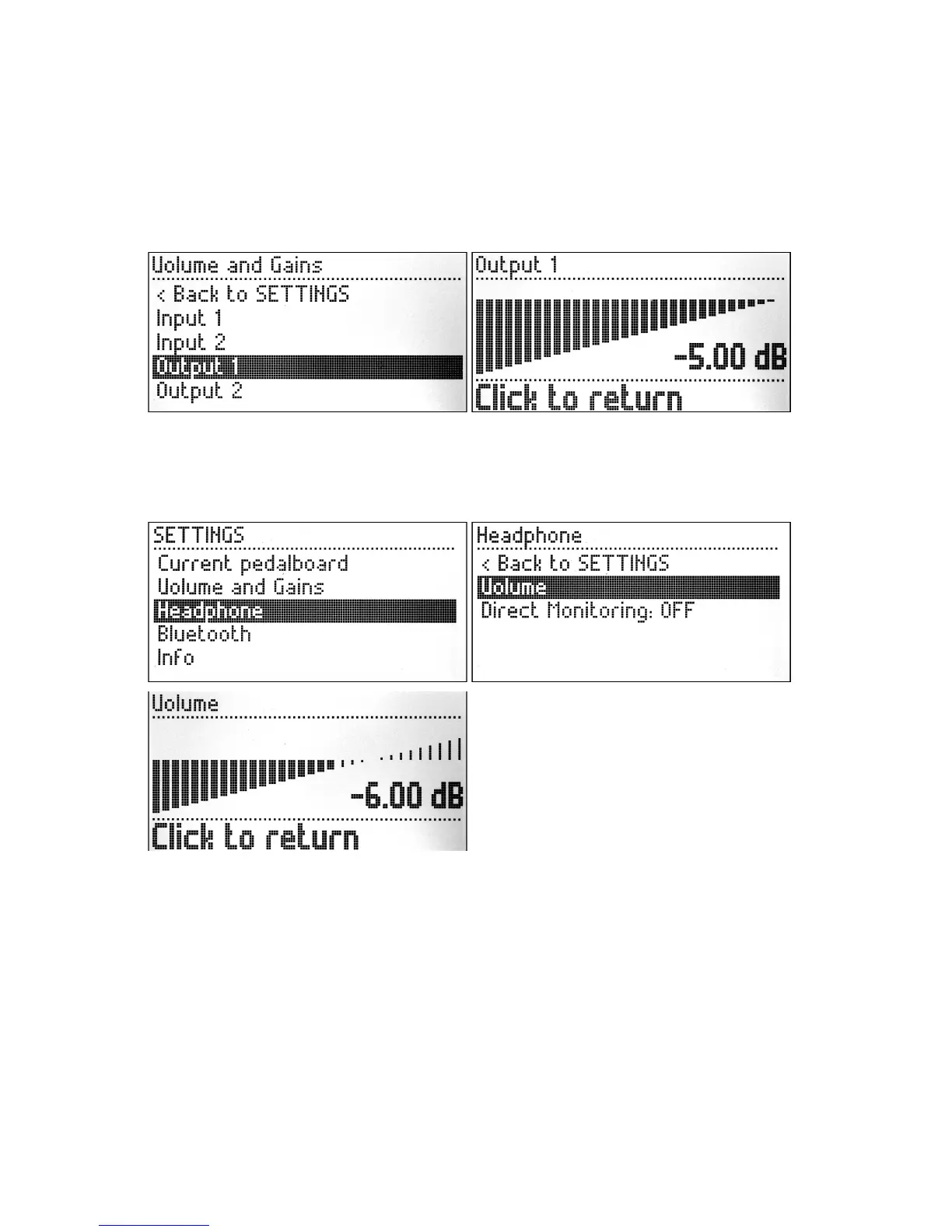
Outputs
The Output menu has only one option, which allows you to adjust the attenuation of the
respective output. Turn the knob to adjust the value. To return to the previous menu simply
short press the knob.
Headphone
In the SETTINGS menu you can access the Headphone option and adjust the volume of the
headphone output. The volume can be adjusted from -33dB to +12dB.
Simply short press the knob to return to the previous menu.
There is also the option to enable the Direct Monitoring. By enabling the direct monitoring
the headphone will work as a monitor for the dry sound coming into the MOD Duo. To toggle
the monitor between ON and OFF press the knob while the Direct Monitoring option is
selected.
7


 To Next Page