Editing
Accessing the graphical interface
The MOD Duo has a built-in graphical user interface (GUI), which means you don’t need to
download any extra software in order to configure the device. To access the interface, you
only need a web browser, such as Chrome, Safari or Firefox.
Accessing via USB cable
The easiest way to access the GUI is through the USB cable. Simply connect the USB
cable, which you received along with your MOD Duo, to your PC or Mac. The operating
system should recognize the MOD Duo as a network device and configure it automatically.
However, this process may fail in certain Windows versions, if that is your case please check
the troubleshooting page on the MOD Devices Wiki
(http://wiki.moddevices.com/wiki/Troubleshooting).
After successfully connecting the MOD Duo to your PC or Mac, open your favorite browser
and navigate to http://modduo.local (or http://192.168.51.1).
Accessing via Bluetooth
To access the GUI via Bluetooth you will need a Bluetooth USB dongle (version 3 or higher).
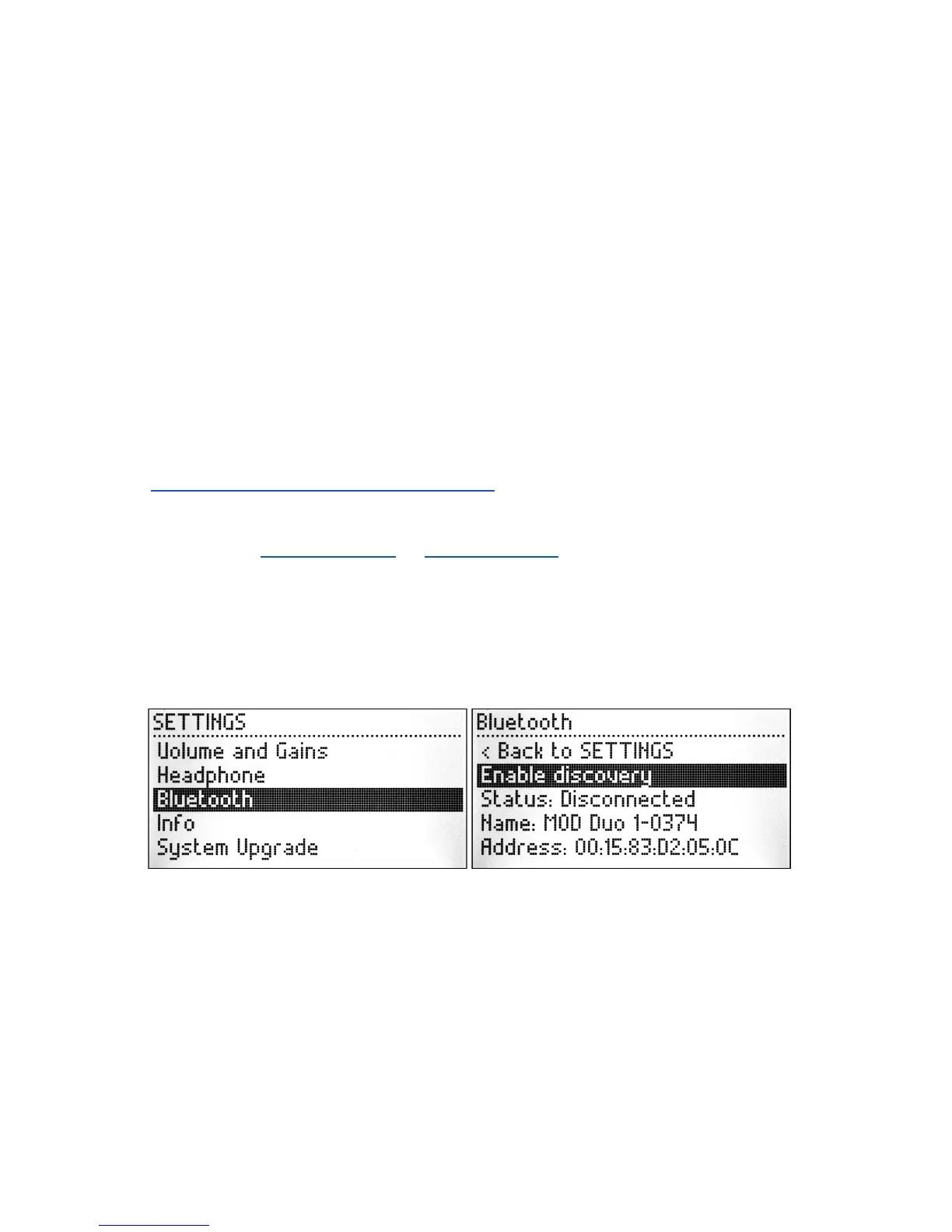
Connect the Bluetooth dongle to the USB host port on the MOD Duo, then press and hold
the left knob for one second to open the SETTINGS menu, turn the knob to select the
Bluetooth option and short press the knob to access the Bluetooth menu.
In the Bluetooth menu, turn the knob to select the Enable discovery option and then short
press the knob to enable it.
11


 To Next Page