www.ModulusArms.com | AR-15 Jig Instructions
Drilling the Fire Control Holes
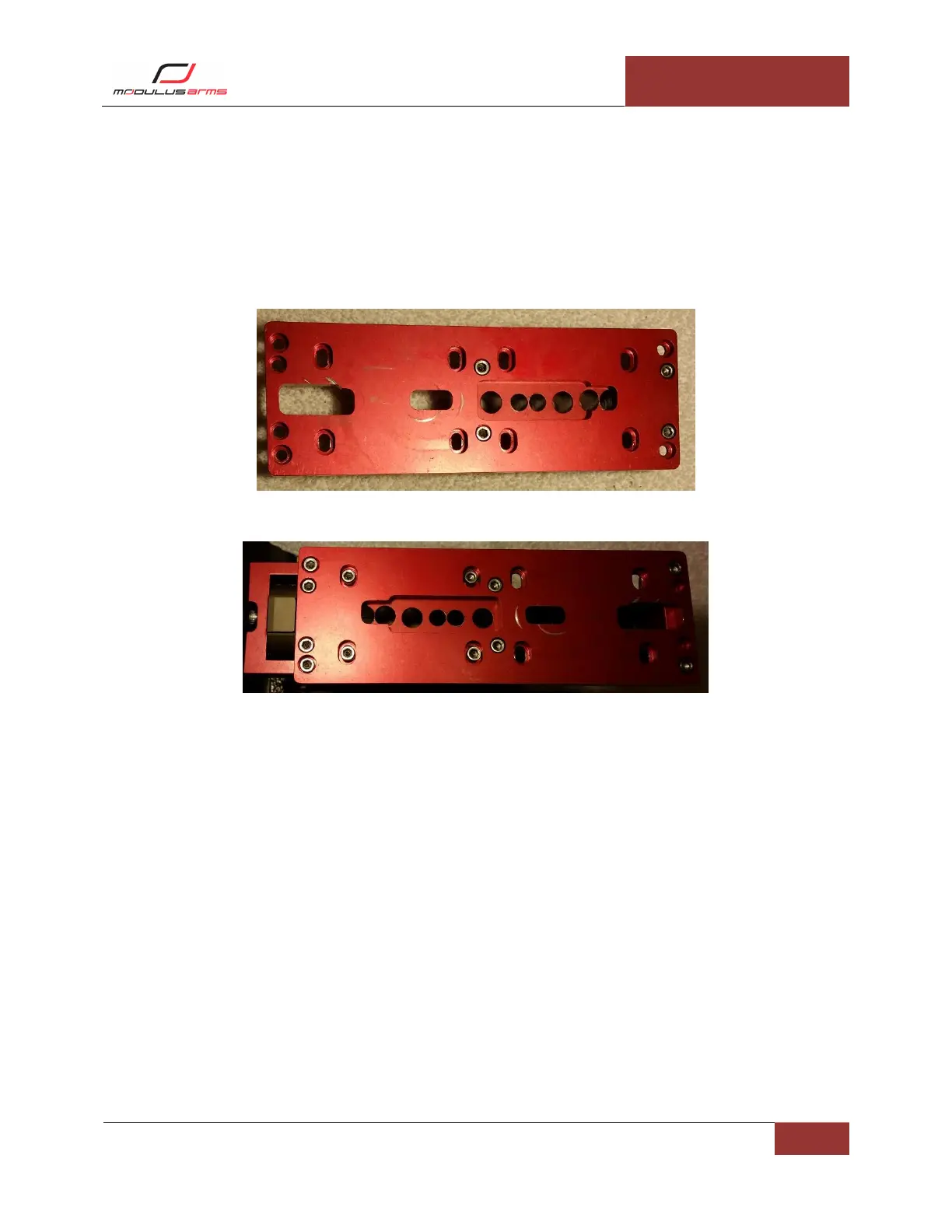
Configure Jig for Drilling Fire Control Holes: Remove the screws connecting the template from the front
and rear supports. Remove the screws connecting the template to the side plates. Remove the
template. Place the drill guide under the template as shown in Figure 18. Insert the four screws
attaching the drill guide to the template. Tighten to 1 ft-lb. Install the eight screws into the supports and
side plates to 1 ft-lb as shown in Figure 19.
Figure 18: Fire Control Drill Guide Setup
Figure 19: Fire Control Drilling Configuration
Rear-Shelf Pocket Drilling: Insert the 3/8” drill bit into the drill. Place the 3/8” drill stop on the drill bit.
Insert the drill bit into slot “C” of the depth gauge. Make sure the drill bit is touching the bottom of the
drill guide and tighten the drill stop onto the drill bit as shown in Figure 20. Drill the three 3/8” holes
open in the template. The holes open to the trigger slot do not need drilling. The partial covered hole
does not need drilling.
Note: Be sure the drill stop is tight. Check the placement of the drill stop with the depth gauge
after each hole.



 To Next Page