www.ModulusArms.com | AR-15 Jig Instructions
Modulus Arms Jig Assembly
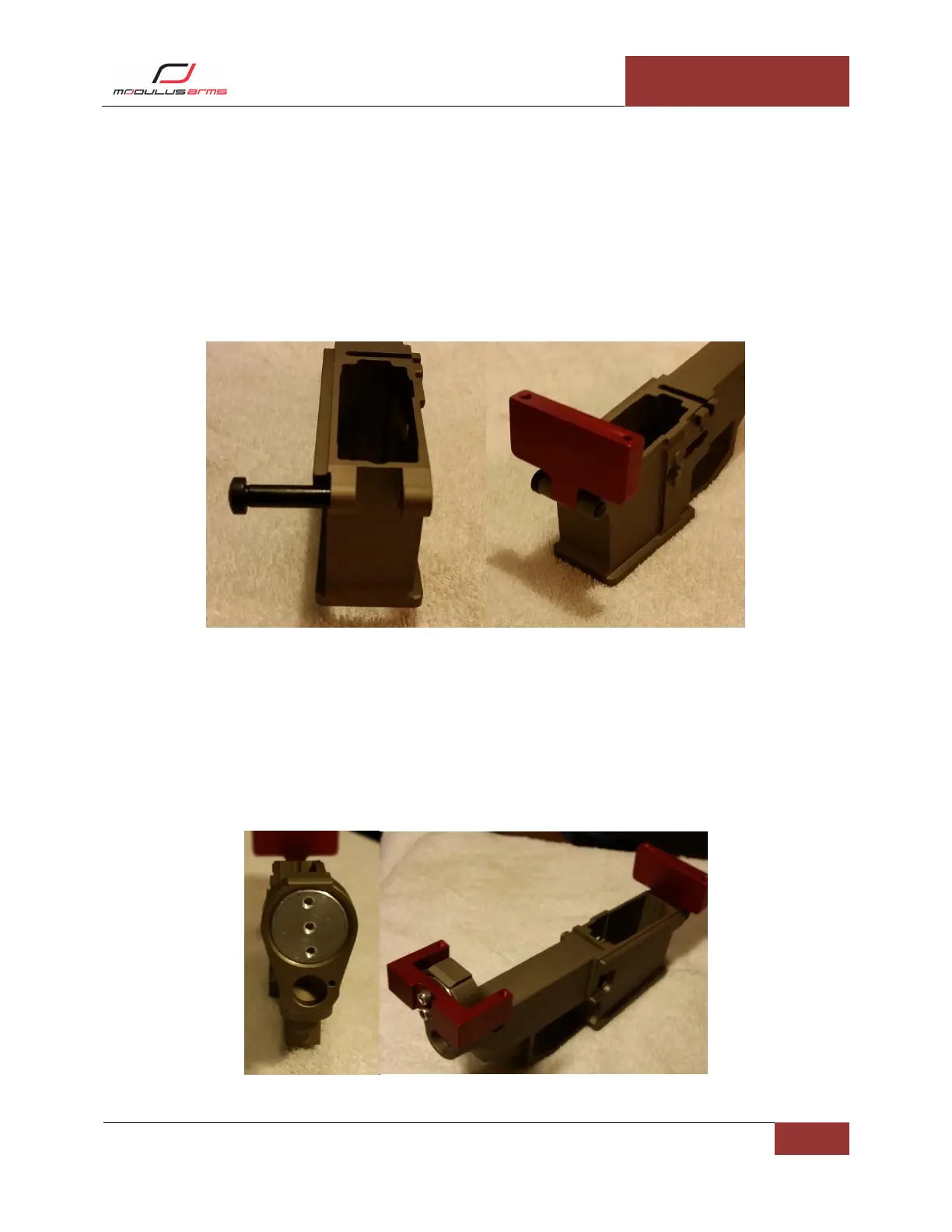
Front Support: The front takedown pin secures the front support as shown in Figure 4 (Left). For best
results, the spring and detent from the Modulus Arms AR Lower Parts Kit may be used. Optionally,
Modulus Arms offers an AR-15 Front Takedown Kit for sale on the website. To install the Front Support
you must first install the front takedown pin. Next, you place the front support in the proper location
and secure it with the front takedown pin as shown in Figure 4 (Right). If a front takedown pin is not
available, you may use a ¼” diameter bolt (not supplied).
Figure 4: Front Takedown Pin (Left), Front Support (Right)
Buffer Support and Rear Support: Thread in the buffer support (clockwise) until the buffer support is
below the rear surface of the lower, then further turn clockwise until the three screw holes are aligned
vertically shown in Figure 5 (Left). On some lower receivers, especially polymer, the buffer support can
go in very snug. Threading in two of the screws to use as a handle can help to install the buffer support.
If it is too tight, do not thread it in as it can get stuck. Using two of the ½” long screws, attach the rear
support. Do no tighten, yet. Make sure the rear support is in contact with the lower receiver rear
surface. If it is not in contact, you must thread the buffer support in further.
Figure 5: Buffer Support (Left), Rear Support (Right)



 To Next Page