15
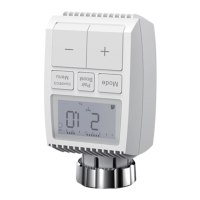
•Press the mode button to select icon.
•Default temperature: 17°C and 21°C.
•Temperature range: 5-30 °C, step: 0.5 °C.
App operation: Click the auto mode icon in the
App control panel.
8.2 Manual Mode
In manual mode, the temperature is controlled in
accordance with the current temperature set via
‘+/-’ button. The temperature remains activated
until the next manual change.
To activate the manual mode, please proceed as
follows:
•Press the mode button to select icon.
•Default temperature: 20°C.
•Temperature range: 5-30°C, step: 0.5 °C.
App operation: Click the manual mode icon in the
App control panel.
8.3 Holiday Mode
When you go out or go to a party, you will use the
holiday mode. The holiday mode will automatically
start at the set time starting point and run the
holiday temperature. When the holiday mode is not
activated, and you want to view the holiday mode
settings, please press the Mode button to view, the
holiday mode icon will flash for 5 seconds and then
it will automatically return to the auto mode.lf you
want to end your holiday mode earlier, press the
Mode button to cancel.


 To Next Page