Admin Manual
MWP1100A
15
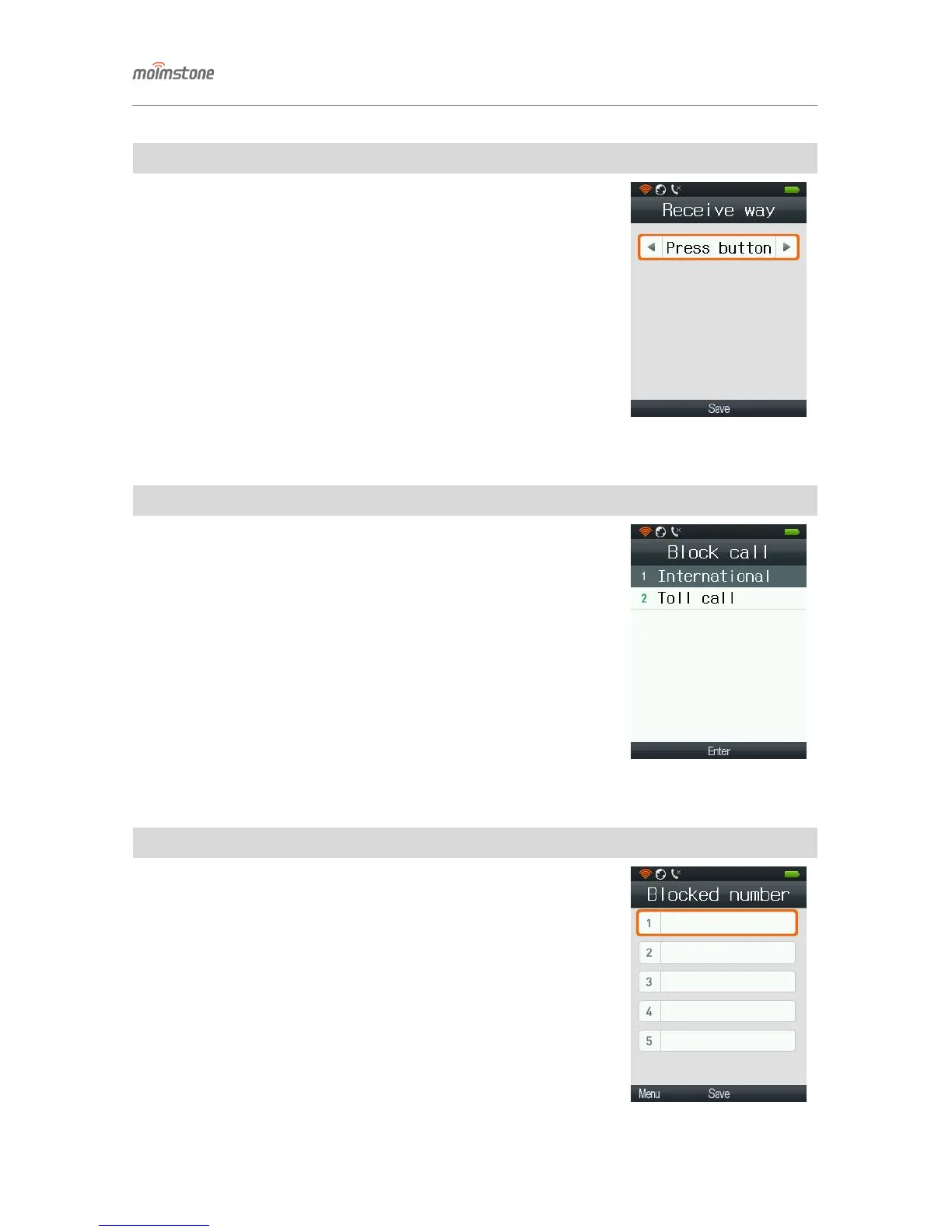
◁ Receive way
□ Setting procedures
[Menu] ▶ 2. Call Manage ▶ 3. Receive way ▶ Select
- Press a button: when the phone is ringing, pressing any button except [End]
answers the call.
- Handy pickup: the call is answered if the phone is picked up from the phone
holder.
◁ Block call
□ Setting procedures
[Menu] ▶ 2. Call Manage ▶ 4. Block call ▶ Select
① Blocks international call.
② Blocks 060 pay call.
◁ Blocked number
□ Setting procedures
[Menu] ▶ 2. Call Manage ▶ 5. Blocked number
- Blocks call from registered numbers.
For example, if 010 is entered for a blocked number, all the incoming numbers
starting with 010 will be blocked.


 To Next Page