Admin Manual
MWP1100A
24
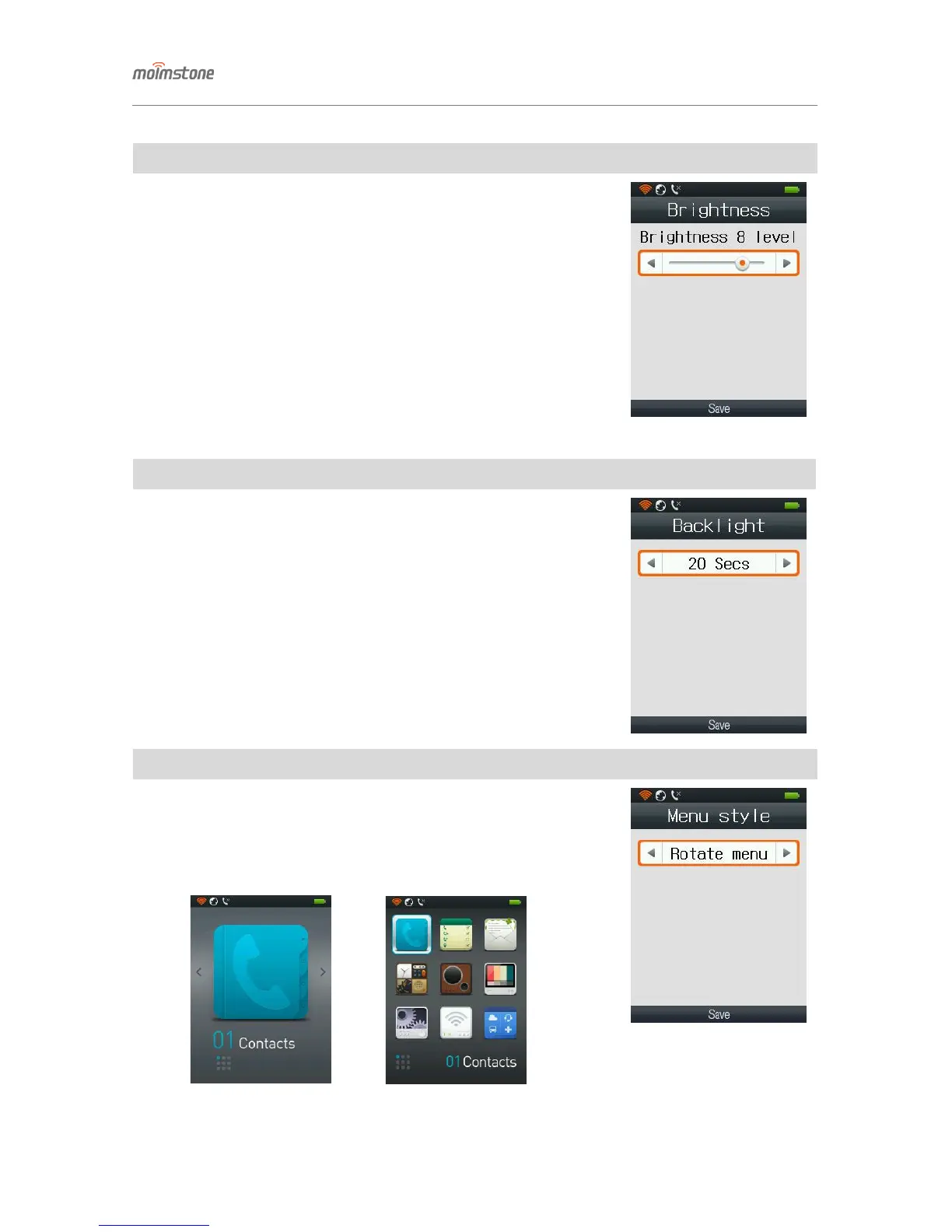
◁ Brightness
□ Setting procedures
[Menu] ▶ 6. Display ▶ 3. Brightness
- Adjust the screen brightness with the left/right button.
◁ Backlight
□ Setting procedures
[Menu] ▶ 6. Display ▶ 4. Backlight
- Set the backlight-on time after operating the phone.
(10 seconds/20 seconds/30 seconds/1 minute/3 minute/always)
◁ Menu style
□ Setting procedures
[Menu] ▶ 6. Display ▶ 5. Menu style
- Can select Rotate Menu or Grid Menu.


 To Next Page