Admin Manual
MWP1100A
44
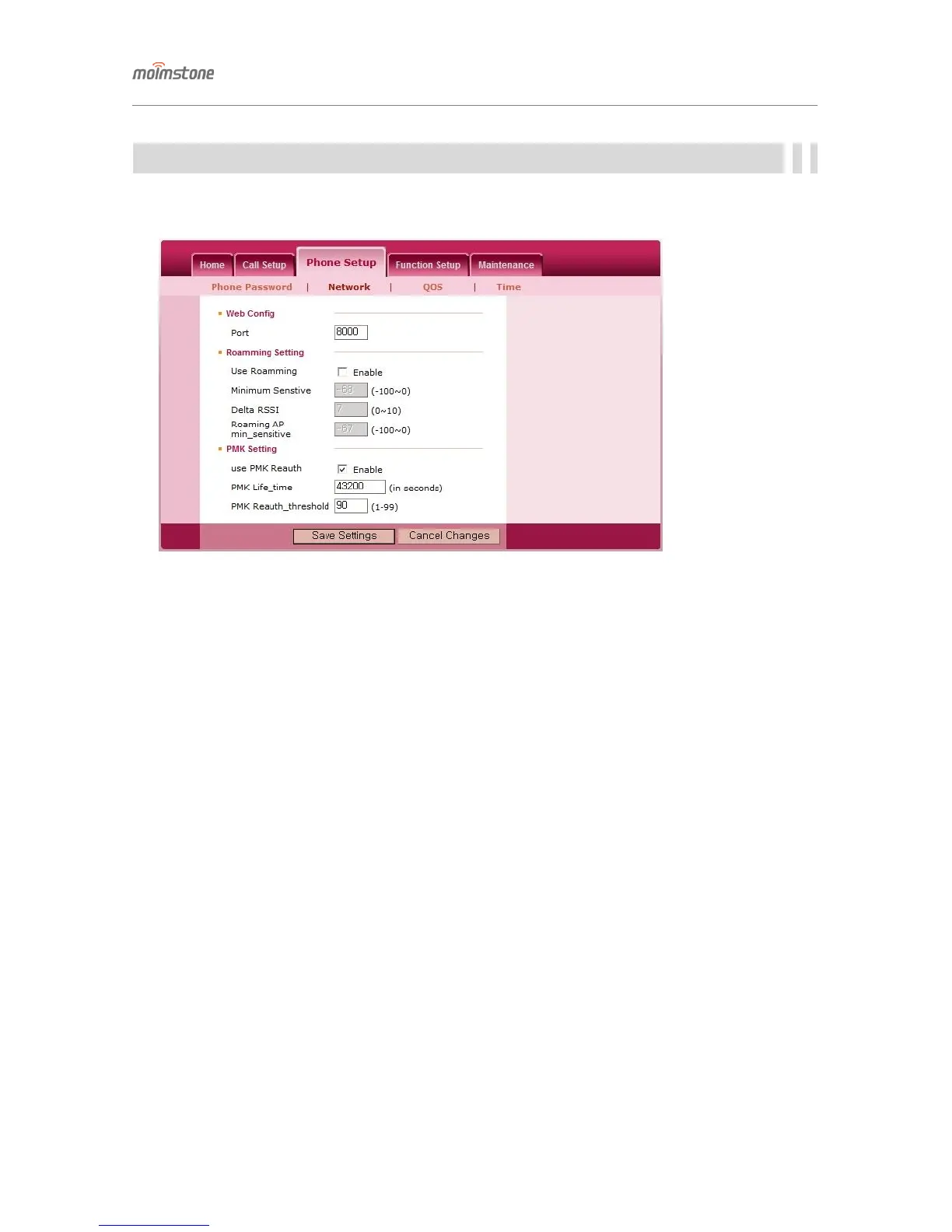
Network
In case the network is changed, it can cause a problem in using the phone. So please consult with the network
administrator before change it.
▣ Web Config
♦ Port : When connecting via Web, set the number following the IP address of the phone.
▣ Roamming Setting (sung supplicant roaming)
♦ Use Roamming : If an AP with an RSSI less than “minimum sensitivity” – “Delta rssi” and greater than the
“minimum sensivity of the roaming AP” is found, a romaing is attempted to that AP.
♦ Minimum Senstivity : If the RSSI of the currently-connected AP drops below a configured level, a
background scan is performed for raoming.
♦ The minimum sensitivity of the roaming AP : If an AP (which meets the condition for a roaming) with an
RSSI greater than the level set at the time of roaming is found, a roaming is attempted. If the value is 0, a
roaming is attempted to an AP with an RSSI greater than that of the current AP.
▣ PMK Setting
♦ PMK Life_time : An EAP-authenticated handset is assigned a PMK from the authentication server. The
PMK is the validity period of the key. There’s no negotiation on this time, so it needs to be configured
according to the AP controller setting.
♦ PMK Reauth_threshold : Before the PMK life time is reached, the time for fetching re-
authentication from the server is set and the unit is %. That is, if the PMK life time is 180 and the
threshold is 50, re-authentication is fetched at time 180*50/100, where this value (the re-
authentication period calculated from life time and reauth_threshold) should be set to be longer than
the SIP register period (the re-authentication period calculated from register’s expiration and register
threshold).



 To Next Page