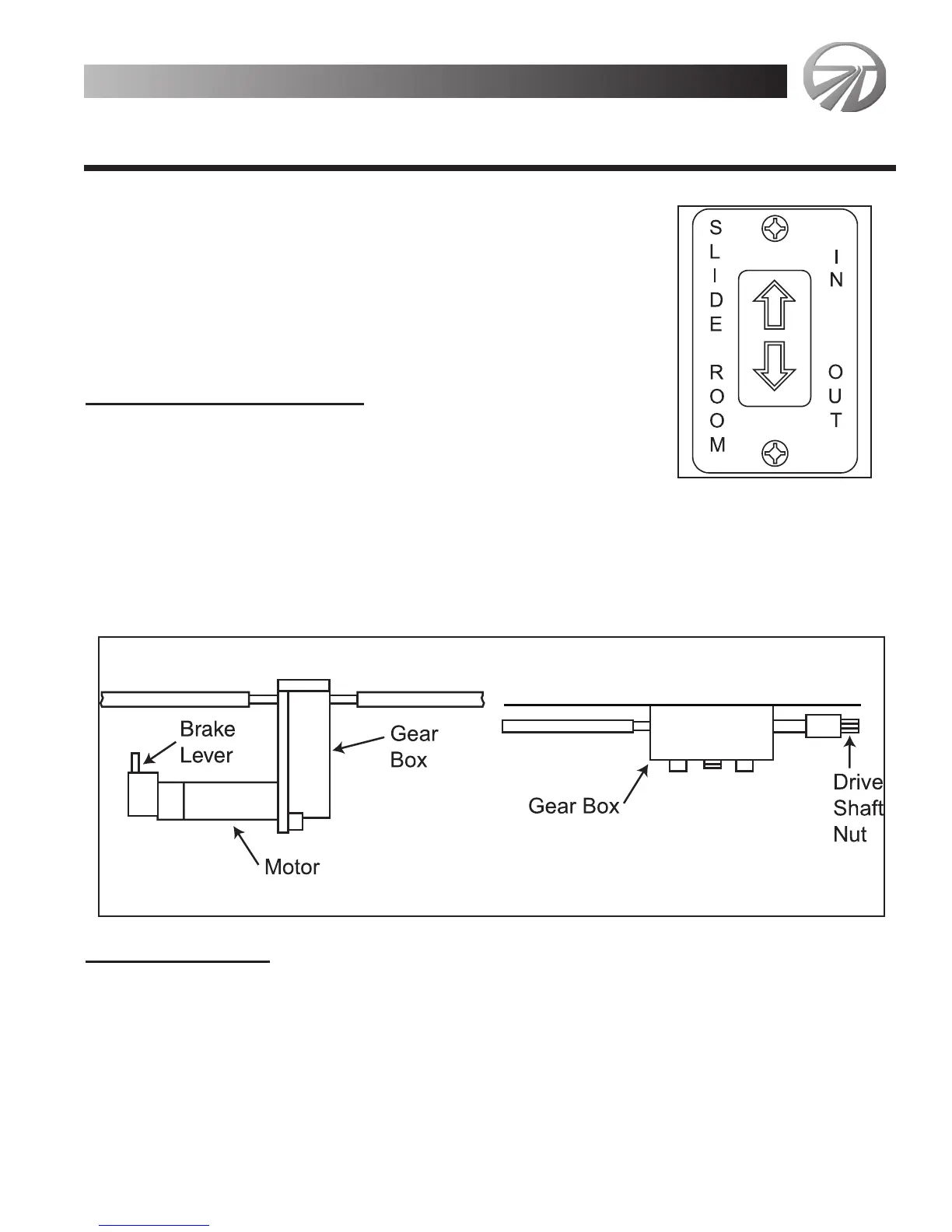
• Check that the unit is level.
• Remove the transit bars (if unit is so equipped).
• Press and hold slide-out room switch in the OUT posi-
tion. Switch is located in a side overhead compartment
near entrance door. Slide-out room will move slowly to
the OUT position
• To stop slide-out room before room reaches OUT the
position, release switch.
• To continue room movement, push and hold switch in.
T
o Retract Slide-Out Room
• Check that there is sufficient clearance inside motor
home for slide-out room.
• If applicable, clean floor.
• Press and hold the IN/OUT switch in the IN position, until the room is fully
retracted and stops moving.
• To stop slide-out room before room reaches the IN position, release switch. To
continue room movement, push and hold switch in.
• Install transit bars in designated locations (if unit is so equipped).
Manual Operation
Your slide-out system is equipped with a manual override that allows you to extend
or retract a room in the event of power loss.
If your system will not move when the switch is pressed make sure that:
1. The battery is fully charged.
2. The transit bars are removed (if so equipped).
Monarch 3-23
Appliances & Equipment
Appliances & Equipment
MONACO
2000





 To Next Page