1
2
1
2
2 2
1
1
Monark EVO
24
ENGLISH
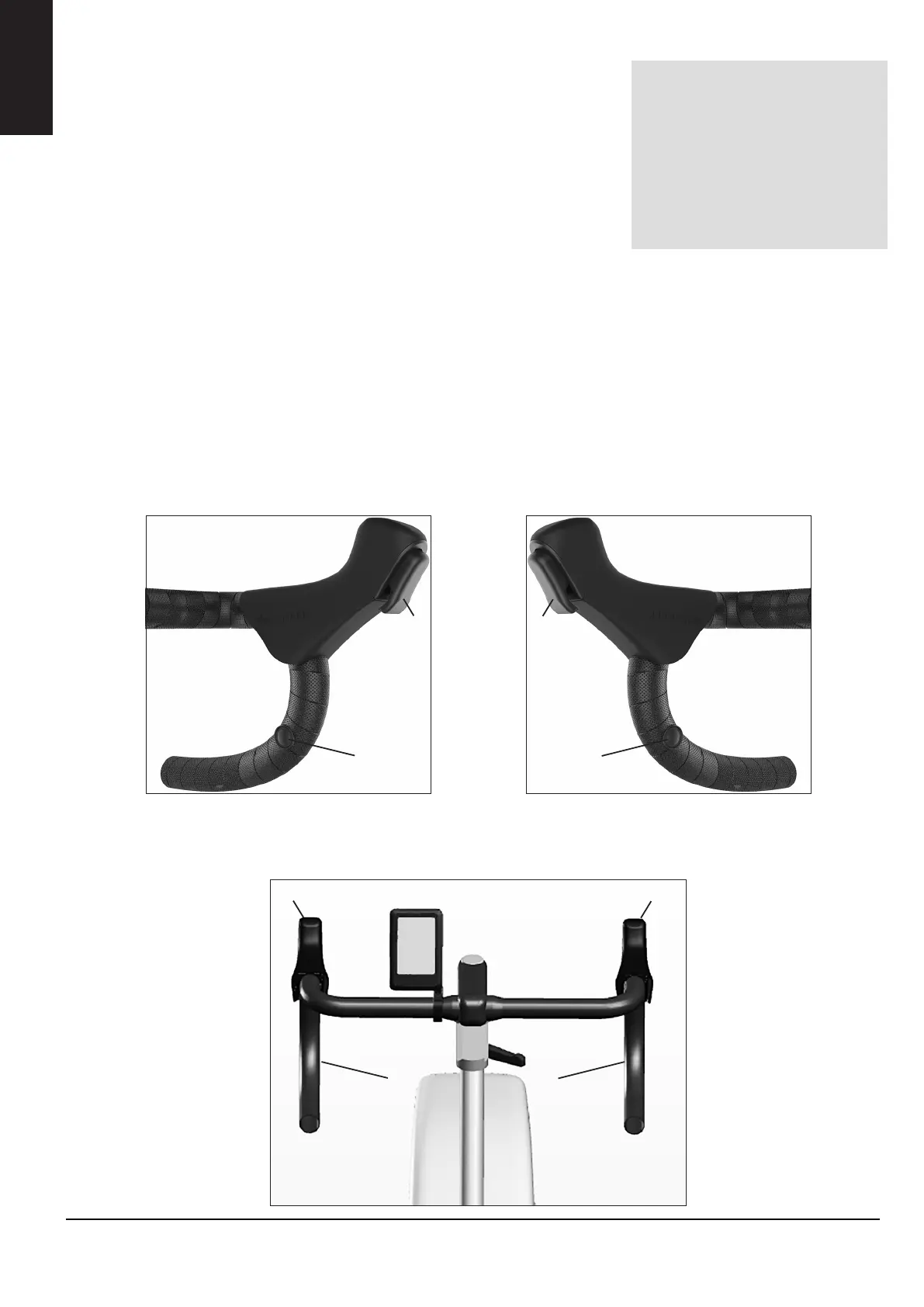
ELECTRONIC SHIFTERS / SPRINT BUTTONS
The workload can be regulated with two different settings, single or “press and
hold”.
The shifters on the right side increases and the left side decreases
The workload
Preset workload adjustment
• Single click - default increase/decrease i steps of 25 W/0,25 kp
• Press and hold - First one single increase/decrease after that continous in-
crease/decrease with 50 W/0,5 kp until the button is released
Sprintbutton
Sprintbutton on the right side increases and the left side decreases the workload.
1. Function where there is only clicks (no press and hold) and the user set the steps as they choose. (Sprint buttons can then
gear up or down 2 kp / 200watt, regardless of what work load i used, 7 kp is always maximum.
2. Functions where the buttons sends you directly to the preset value (sprint button can for example gear up directly to 7kp,
or directly down to 3 kp, and the function always takes the profile of the track into account, won’t brake the simulation
from Zwift.
3. Function where sprint buttons are used as shifters. Both with single clicks OR press and hold.
Fig: Shifters left side
1) shifters
2) Sprint button
Fig: Shifters right side
1) shifters
2) Sprint button
Shifters and sprint buttons
conguration can be changed
accordingly to the user’s
wishes with the conguration
software for novo mini. (Down-
load on our website (www.
sport-medical.monarkexercise.
se/software)
ENGLISH



 To Next Page