Monark EVO
27
ENGLISH
Calibration can only be done from the display!
Calibration should be done after service, replacement of
electronics part, if you have moved the bike or if you have
adjusted the scale.
Start by adjusting the scale, see section, and release the
brake band tension.
1. Press “Settings” on the display. Then you select
"calibrate".
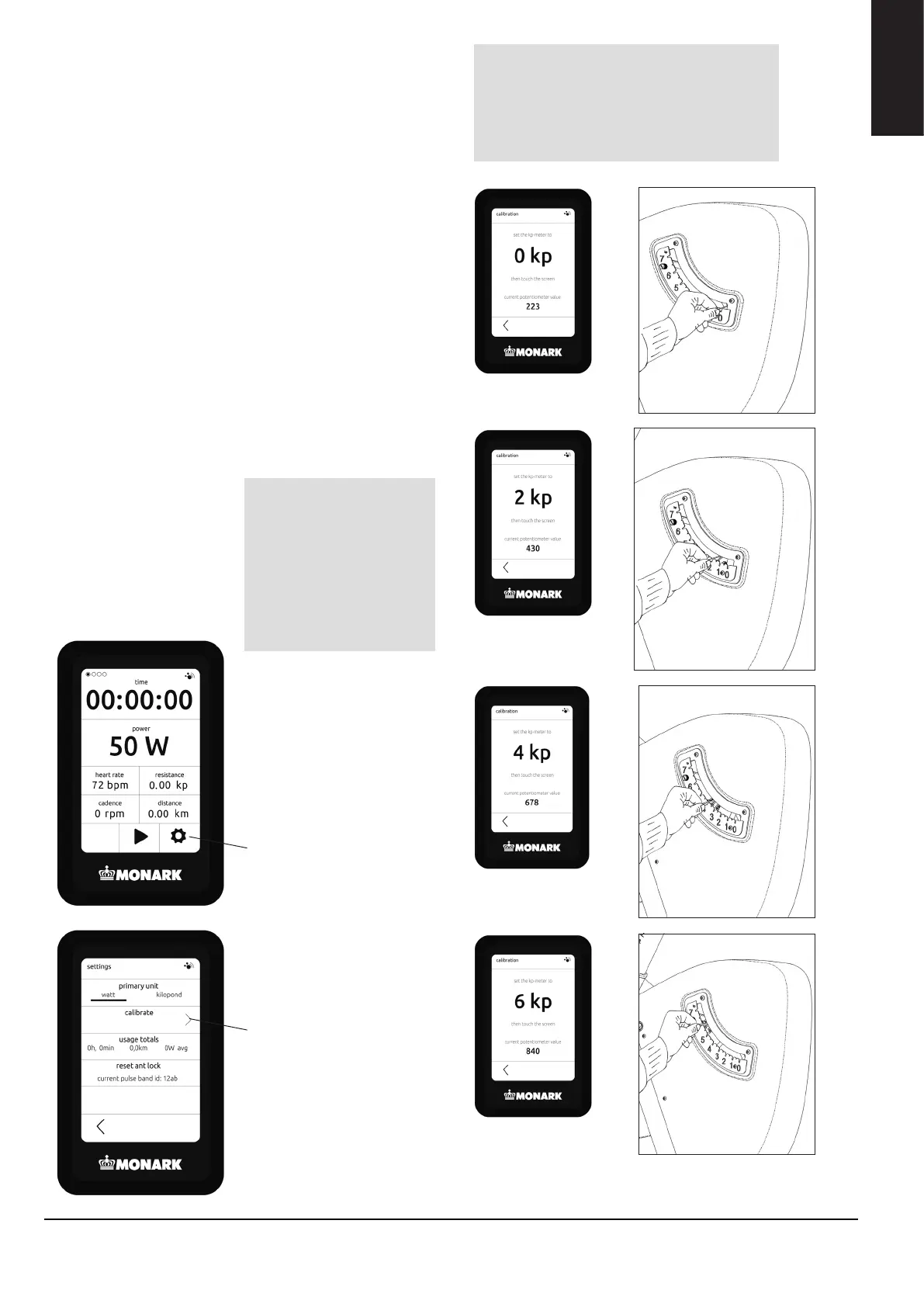
2. Then “0 kp” is shown in the display. let the pendulum
hang free over 0 and then press the screen.
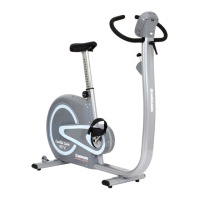
3. Then “2 kp” is shown in the display. Hold the
pendulum to 2 and then press the screen.
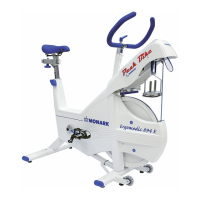
4. Then “4 kp” is shown in the display. Hold the
pendulum to 4 and then press the screen.
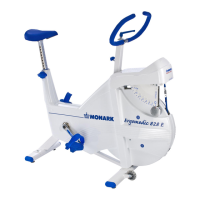
5. Then “6 kp” is shown in the display. Hold the
pendulum to 6 and then press the screen.
The calibration is complete!
CALIBRATION ELECTRONICS
Settings
Calibrate
Then move the pendulum down to 0 again
and the calibration is complete.
NOTE!
The pendulum must be kept still at
the dierent positions. This is done
by pressing down the pointer into the
groove on the scale at each kp value.
NOTE!
The potentiometer
values shown in the
pictures are only
examples. The value
varies depending
on the value of the
potentiometer at 0 kp.
Fig: 0 kp
Fig: 2 kp
Fig: 4 kp
Fig: 6 kp
ENGLISH



 To Next Page