Setting up the Gold FX
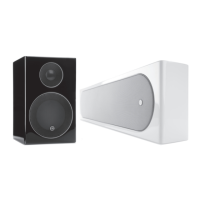
The Gold FX’s are independent speakers that can be tailored to be either left or right handed at the ick of
a switch. Likewise, they can be operated in either di-pole or mono-pole modes. The default factory setting
is mono-pole.
In mono-pole mode, only the main driver and tweeter will be active. In di-pole mode, the main tweeter is
disengaged and the side drivers and tweeters are active. The front ring tweeters are out of phase with the
other tweeter and mid/bass unit. It is recommended to implement this conguration when using two pairs
Gold FX as part of a 7.1 channel system, with the Gold FX’s taking up positions on side and rear walls. Please
note, it is essential they are positioned correctly when used in a 7.1 channel system. Please refer to the
switch positioning images on pages 7 and 8.
NOTE: Before adjusting any switches, please ensure that the amplier is at the very least
turned o. This will help to protect the amplier.
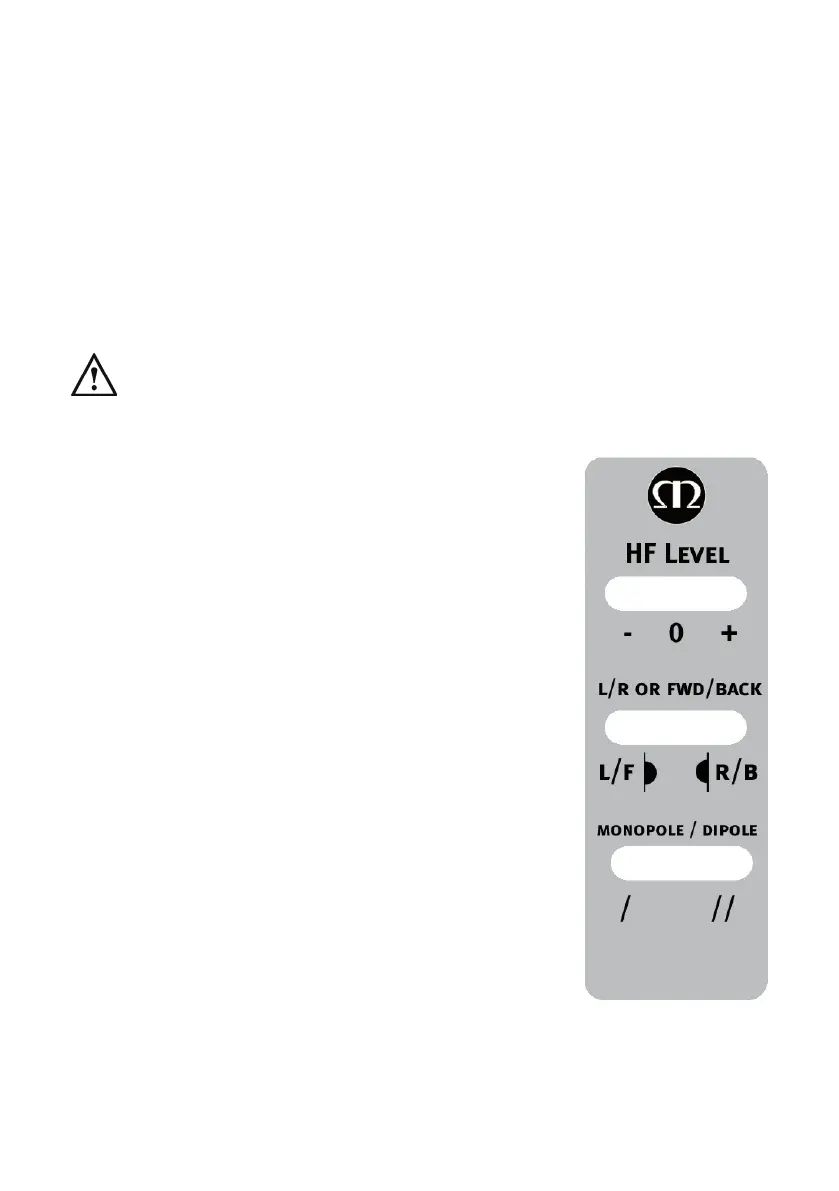
Tweeter Attenuation Switch: This switch adjusts the level of the main high
frequency tweeter unit. In the middle position, there is no attenuation. Placed
in the ‘-’ position, the high frequencies will be attenuated by 3dB. Placed in the
‘+’ position, the high frequencies will be boosted by 3dB.
Location Switch: This switch is used when determining the location of the Gold
FX’s. Please refer to the illustrations on pages 7 & 8 for correct positioning.
This will only make a dierence when in ‘di-pole’ mode.
Mono-pole/ Di-pole Switch: This switch determines the actual mode of
the Gold FX. When part of 5.1 systems as a rear speaker, set the switch to
mono-pole. Although there is nothing wrong with experimenting and trying
the switch in the di-pole mode. If part of a 7.1 system as side speakers, set the
switch to di-pole. If using 4 Gold FX’s (side and rear) set them all to di-pole
mode. Please see the illustrations on pages 7 & 8 to determine the setting of
the ‘Location Switch’ depending on system set up.
If you are using the 12v trigger, set the switch to monopole mode. The trigger
will switch a relay to enable the di-pole mode.
12 volt Trigger: (Not shown) This feature is present on some AV ampliers. It
is possible to customise the 12v trigger to switch the speakers to di-pole for
certain sources. For example, multi-channel music should be listened to in
mono-pole mode, however, movies should be listened to in di-pole mode. This
feature automates the switching between the two modes. Please refer to your
AV amplier manual for further instruction.
Gold Series6


 To Next Page
 Loading...