27
ZKHTR1 Trim Kit (For 3/4" Panel)
Support for Custom Handle
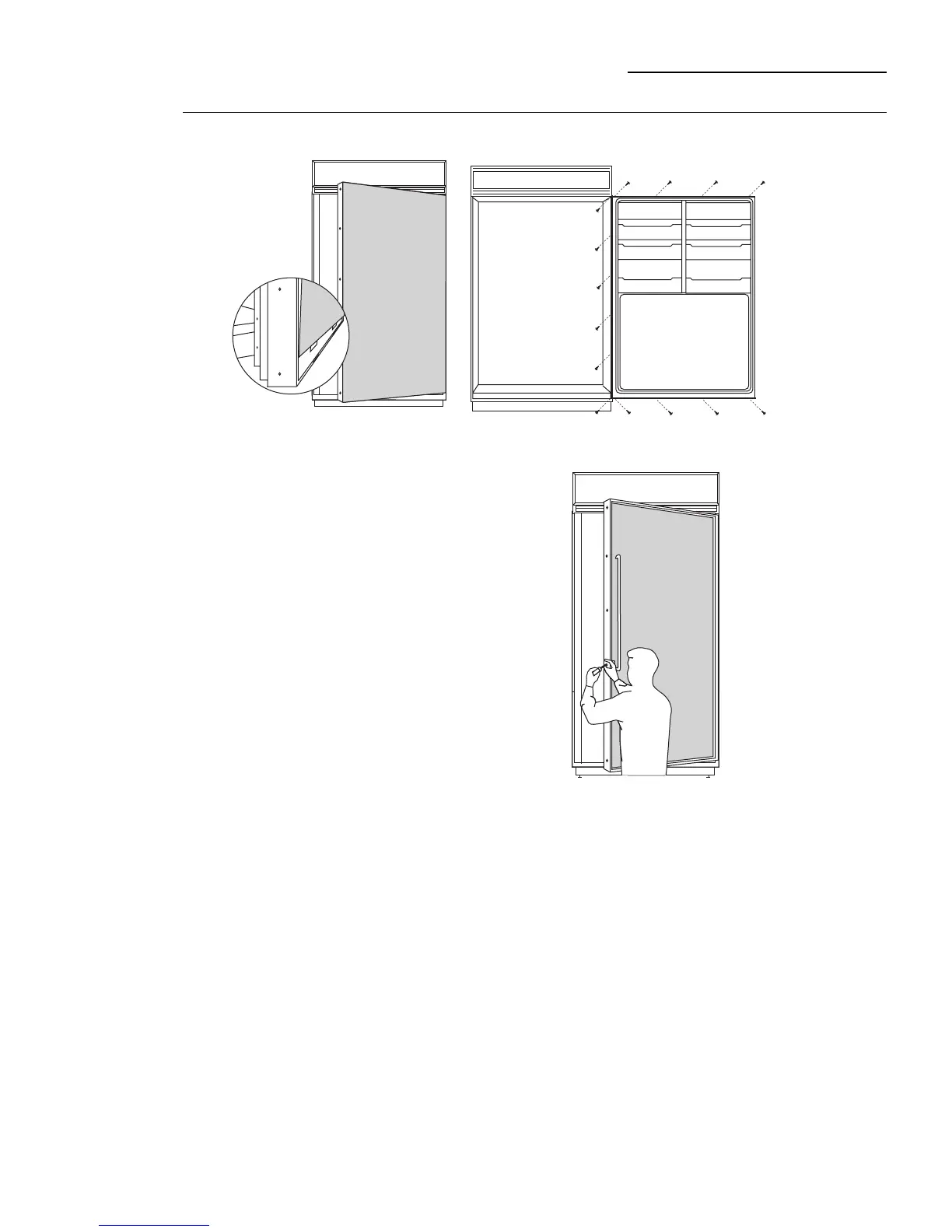
Step 4
Mount
assembled
panel
• Place assembled panel onto the bottom trim with
support bracket tabs inserted into slots.
• Push the panel back against the steel door with
handle extrusion flush to handle side of the door.
• Open door fully to stop.
• Install original screws at the top, hinge side and
handle side.








 To Next Page