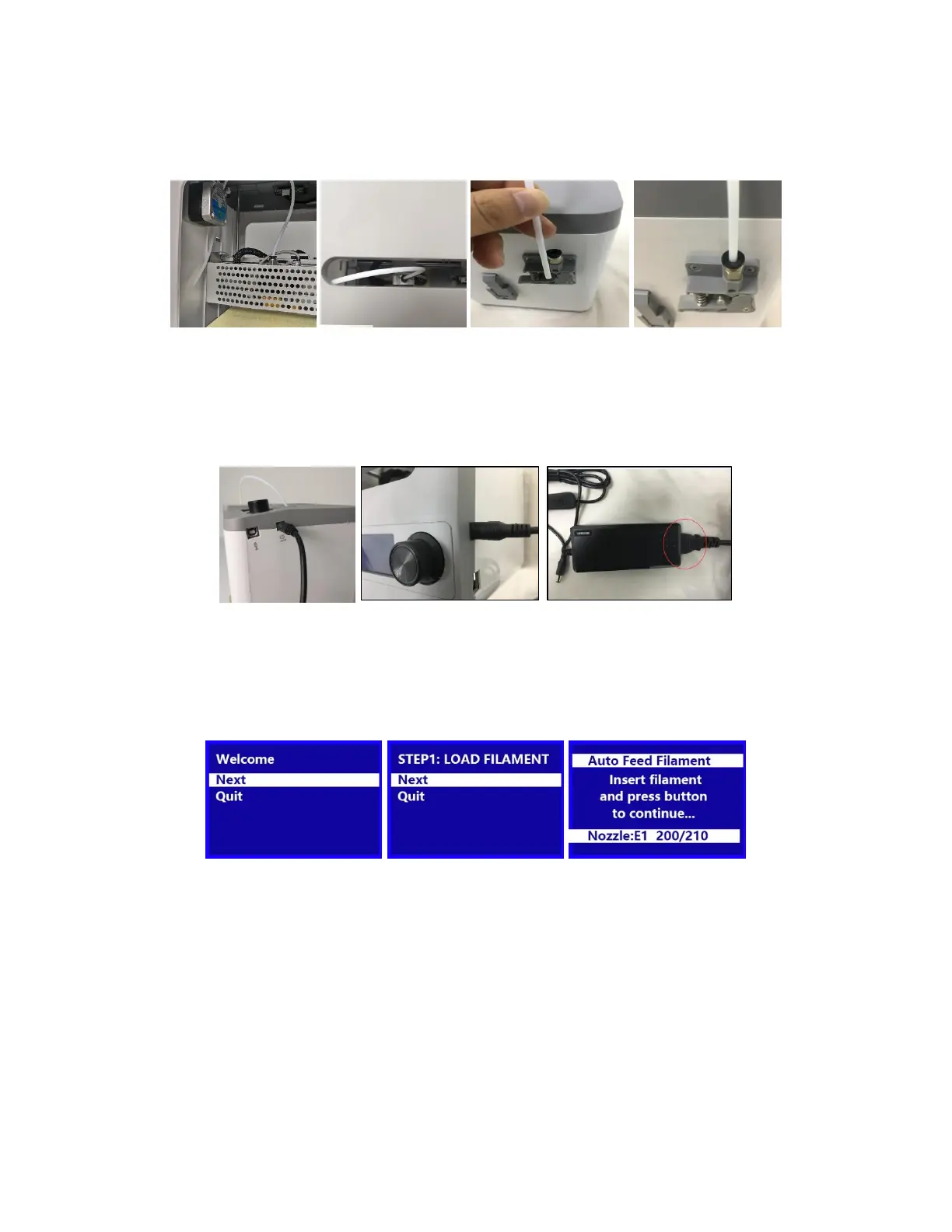
8
5. Insert the Filament Guide Tube into the black pneumatic connector on top of the
Extruder.
6. Ensure that the power switch on the inline control on the AC Power Adapter is in
the OFF position (O). Plug the DC barrel connector on the AC Power Adapter into
the Power Port on the right side of the printer. Plug the included AC Power Cord
into the AC Power Adapter, then plug the other end into a nearby AC power outlet.
7. Flip the power switch on the inline control to the ON position (I). After the printer
finishes booting, you will see the following wizard. Depress the Knob on top of the
printer to select Next on the Welcome Screen, then again to select Next on the
STEP 1: LOAD FILAMENT Screen.


 To Next Page