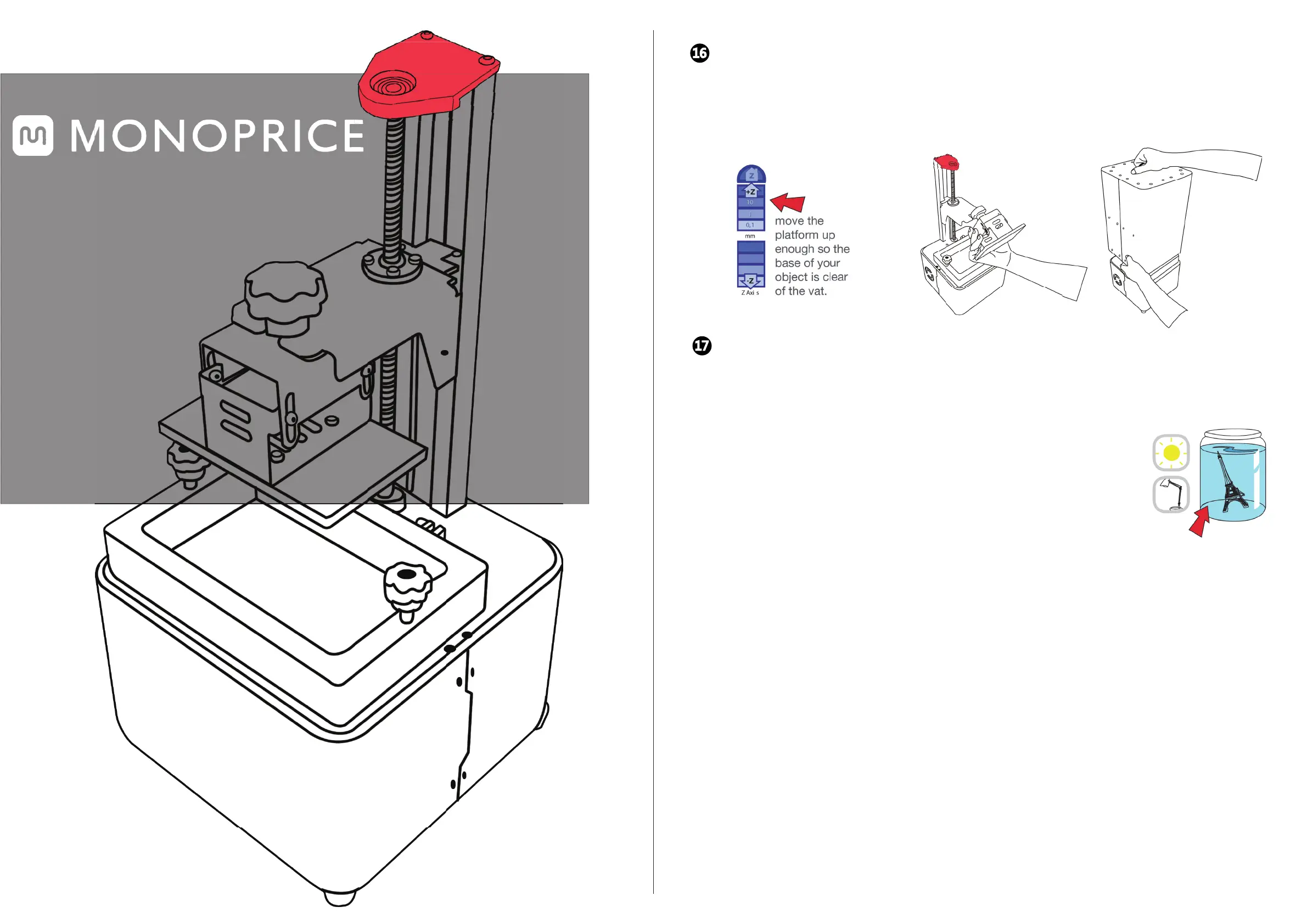
CLEANING AND FINISHING THE PRODUCT
When the print is finished, wait 5 minutes to allow time for excess resin to drain away from the model and back into the resin
vat. Place the hood back on the printer to protect the resin.
16
POST PROCESSING
17
Place the platform and model in a bowl of water. Remove the object(s) by sliding the scraper in at their
base. Wash off any liquid polymer in a container of alcohol. You can gently clean it with a soft brush or
sponge, taking care not to damage it. It will not achieve full hardness until after post-exposure to
light. An ultrasonic cleaner will clean your objects without the possibility of damaging them.
Check that your object is thoroughly c
lean, as resin cannot be easily removed afterwards. Leave
it under water in sunlight for about 10 minutes. The longer you leave it under water, the darker
the color will get. Some color change is inevitable. When it is completely post-exposed, it will be
strong and have a dry surface. Empty the contents of the vat back into the bottle by pouring
through a sieve. With the vat on a flat surface, wipe the inside thoroughly with absorbent paper.
Replace the film when it becomes damaged.
Alcohol
REV.A
GETTING
STARTED
GUIDE
IIIP


 To Previous Page