14
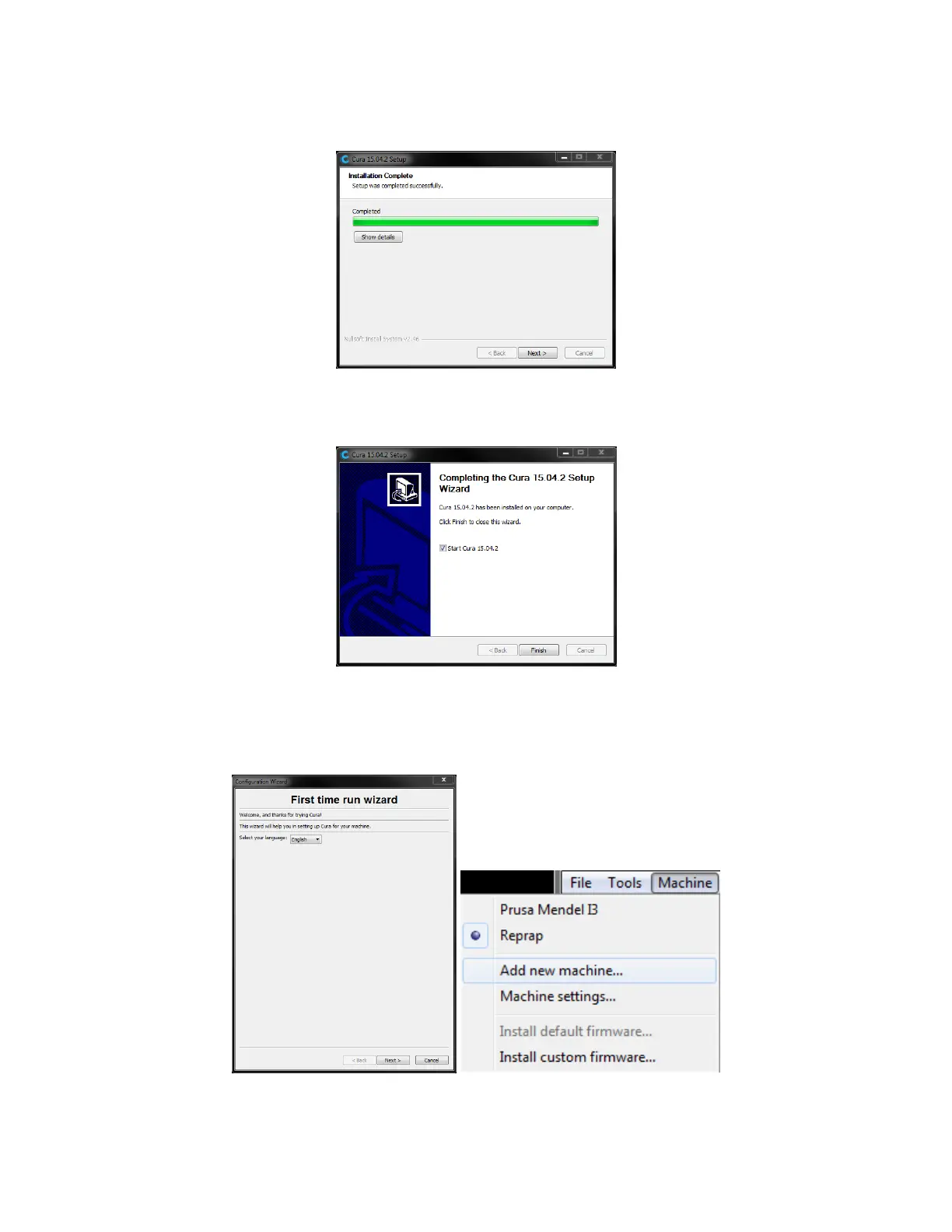
6. Click Next to continue.
7. Ensure that the box next to the Start Cura 15.04.2 option is checked, then click Finish
to complete the installation and launch the program.
8. Wait for Cura to finish launching. If this is the first time you have run Cura on this
machine, Cura will automatically launch the First time run wizard. Otherwise, you
will need to select Machine > Add new machine.



 To Next Page