16
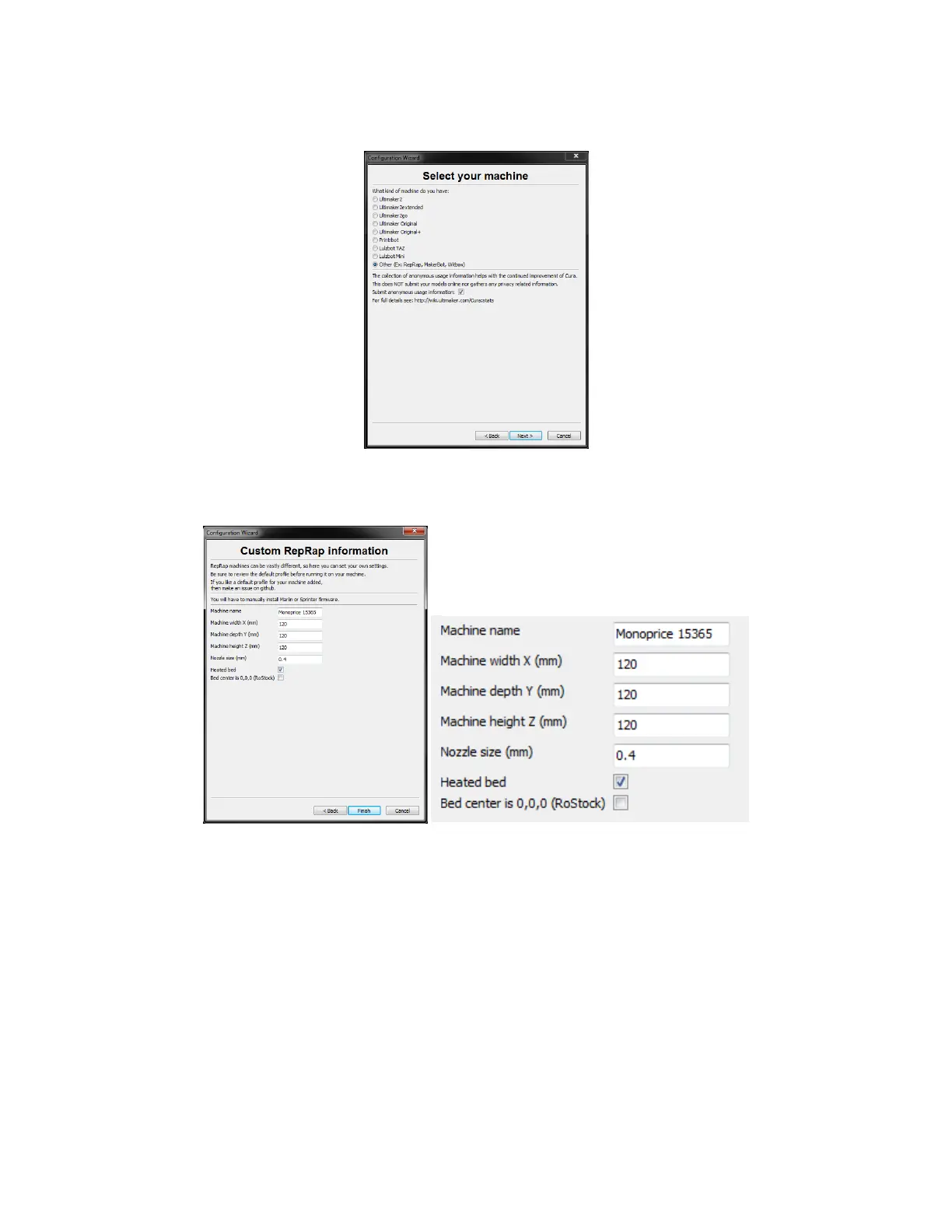
11. Click the button to the left of the Other entry, then click Next to continue.
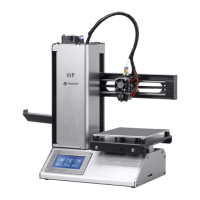
12. Change the settings to match those shown in the images below, then click Finish to
continue.
13. The program will finish launching and leave you on the main screen. Select the Basic
tab, then change the settings to match those in the accompanying image for PLA
filament.


 To Next Page