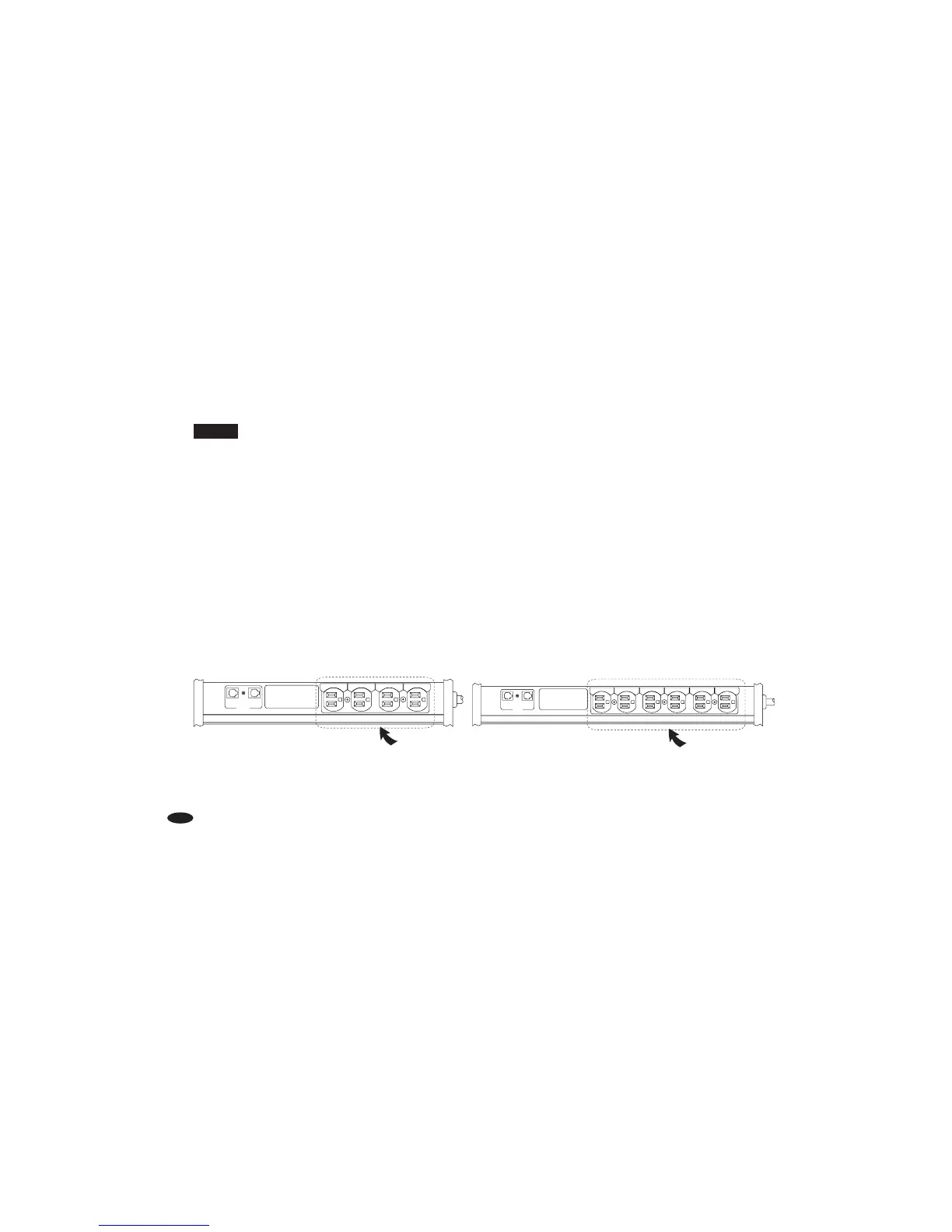
STEP 6 Video Outlets (Unswitched) Hookup
NOTE:
These outlets are “unswitched” because some components perform best when powered continuously.
A VCR, for example, should be plugged into one of these outlets to avoid the hassle of resetting its clock
when power is interrupted. Whether you turn your PowerCenter On or Off, any component plugged into
these outlets will receive continuous power as long as your PowerCenter is plugged into a properly grounded
120 volt wall socket. You can plug any type of analog video component (e.g., VCR, camcorder) into this outlet.
Plug your component’s power cord into the corresponding A/V RECEIVER or TELEVISION outlet.
A) Attach a Monster Power ID label to each component’s power cord before you plug it
into the appropriate PowerCenter outlet.
B) CABLE/SAT: If you have a Cable TV box, plug its power cord into your PowerCenter’s
corresponding CABLE/SAT outlet. If you have a Satellite Receiver, plug its power cord
into the corresponding CABLE/SAT outlet.
C) TELEVISION: Plug your TV’s power cord into the corresponding TV outlet.



 To Next Page