CONTROLS AND CONNECTIONS | 15
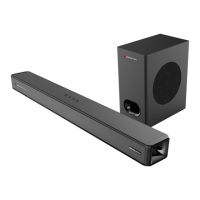
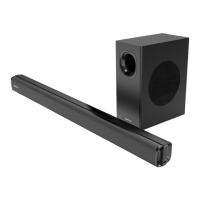
The wireless subwoofer will automatically pair with the soundbar when both the soundbar and
subwoofer are connected to AC power and the soundbar is on Bluetooth mode.
Note: If the wireless subwoofer cannot pair with the soundbar, press the Pair button on the subwoofer
to pair manually.
1. Connect the soundbar and subwoofer to AC power.
2. The LED indicator on the subwoofer will flash blue slowly. Press and hold the Pair button to enter
pairing mode. The indicator will now flash blue quickly.
3. Press the button on the soundbar or the remote control to turn on the soundbar. Press the Input
button repeatedly until the soundbar is on Bluetooth mode.
4. The LED indicator on the subwoofer will light up blue after 20-30 seconds. The subwoofer is now
paired with the soundbar.
• If the wireless connection fails again, check if there is
conflict or strong interference (for example, interference
from an electronic device) around your location. Remove
these conflicts or strong interferences and repeat the
above procedures.
• The subwoofer should be within 6m of the soundbar in
an open area.
For best sound experience, place the subwoofer on
the ground near the soundbar. The area of around the
subwoofer should be clear of any obstructions.


 To Next Page