LED Indicator
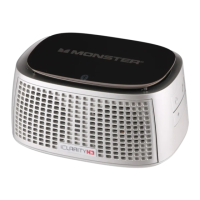
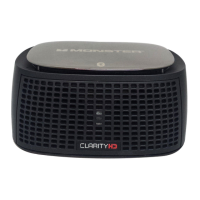
ThereisanLEDlightinthemiddleofthefrontofiClarityHDPrecisionMicro
BluetoothSpeaker.BelowarewhattheLED’svariousdisplaysindicate.
LED Off–PowerOFF
BLUE –PowerON
Flashing BLUE/RED–Pairingmode
RED–LowBatteryLevel
Flashing RED–Batteryalmostdrained
Flashing BLUE –Batteryisrecharging
Set-up and Pairing via Bluetooth For Music Playback
and Hands-free Calling
NOTE:iClarityHDPrecisionMicroBluetoothSpeakercanpairwithmost
Compatibility
Wireless:DeviceswithBluetooth2.0orabove(SeeGeneralSpecications
forproles),suchasiPad,iPhone(2ndGenandnewerwithiPhonesoftware
3.1),iPodtouch(2ndGenandnewerwithiPhonesoftware3.1)andBluetooth
equippedMacsandmostBluetoothequippedsmartphonesorcomputers.
Wired:Deviceswithastandard3.5mmheadphoneoutputportsuchasiPod
via3.5mmminijackcable(notincluded).
WARNING
1.Donotbecomedistractedbythisproductwhiledriving.
2.Donotleavetheproductexposedtoaheatsourceorhightemperatures.
3.Donotremoveorattempttoremovethenon-user-replaceablebattery.
Whendisposingoftheproduct,takeittoawasteelectronicsservice.
4.Pleaserememberthatalooseobjectinamovingvehiclecouldbecome
adeadlyprojectileintheeventofacollision.








 To Next Page